
One engine. Every venue. Validated four ways before it can touch a bot.
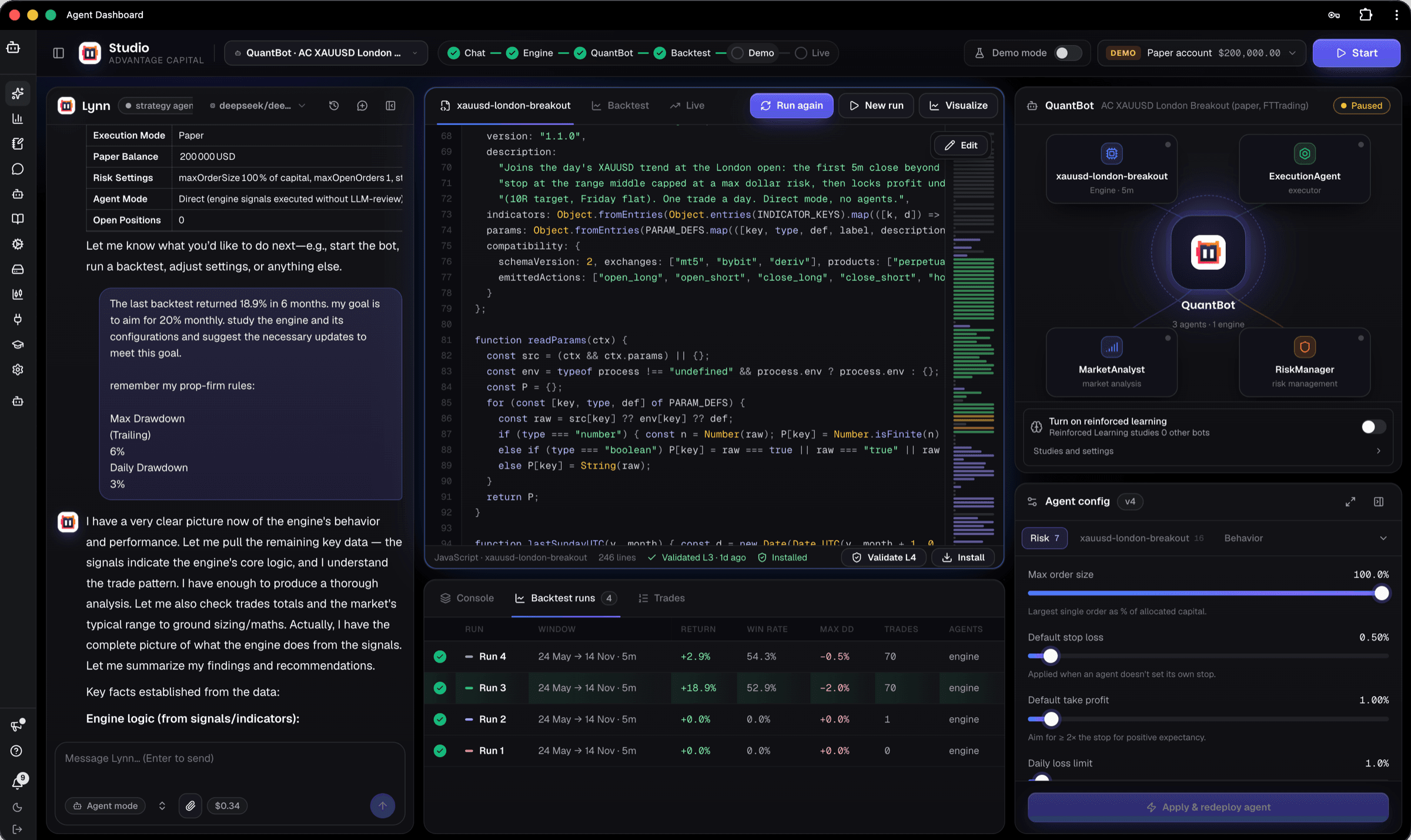
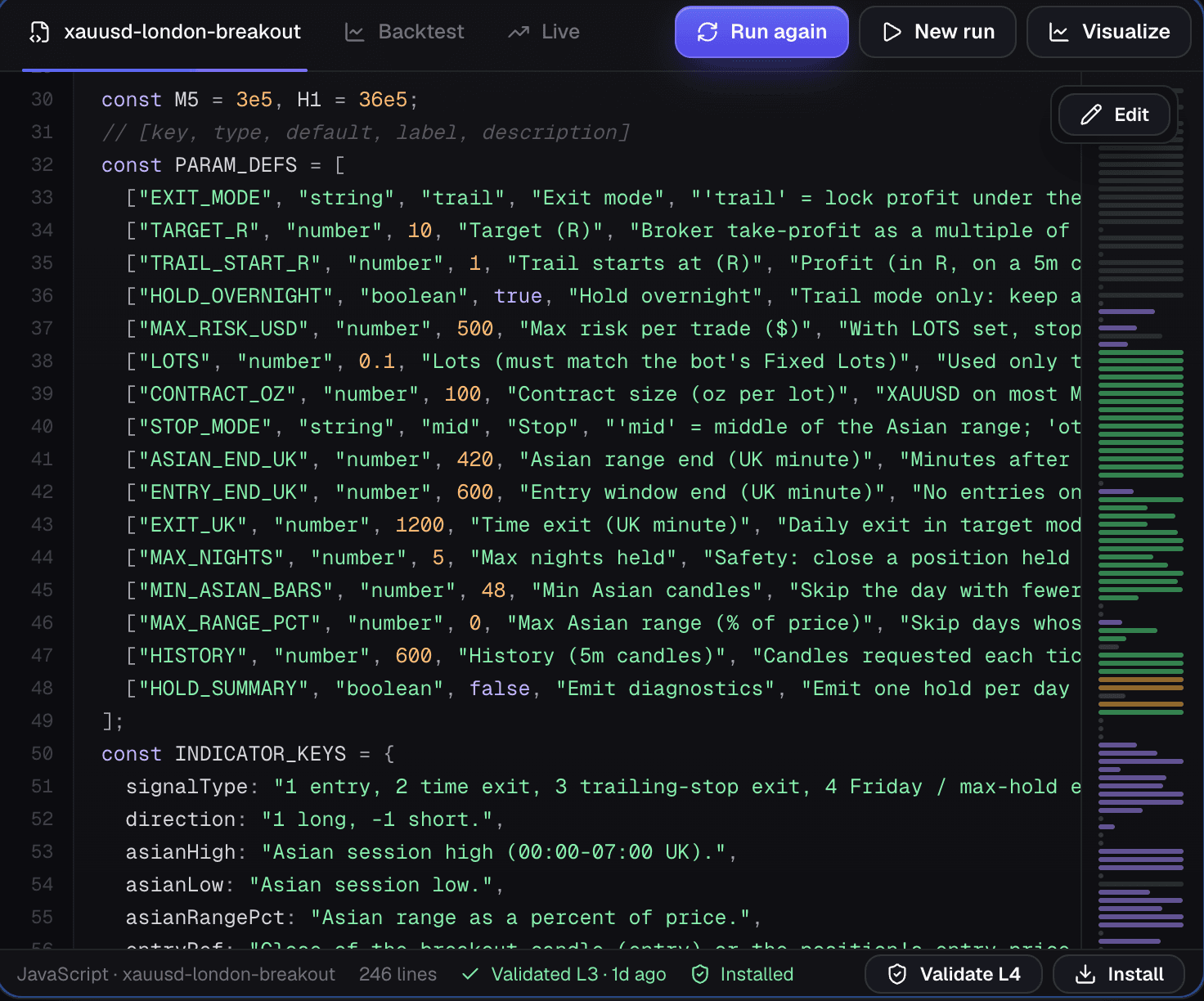
A strategy engine is your trading idea written as a small JavaScript or TypeScript program. It reads candles and emits a signal: open long, open short, close. The platform does the sizing, the orders and the venue. Test the same engine in a backtest, on paper and live without changing a line.
Try it free for 7 daysDocumented in the Learn Center: engines-explained
Why it matters
Rules you can read beat rules you have to trust.
Write it, import it, or ask for it
Start from a template, paste source, fetch a URL, fork an installed engine, install from the RocketX marketplace, or describe it to Studio and let it write the code.
Validation L1 to L4
Static checks, manifest checks, a smoke run on 200 test candles, then a 600-candle micro-backtest through a range, a breakout, a crash and a recovery. An engine that fails never reaches a bot.
Tune per bot, not per copy
Each bot sets its own param values, so one engine runs on EURUSD with one set and on gold with another. Sliders in Studio, or ask the assistant to tune for a choppy 5-minute gold market.
Versions and rollback
Every install keeps a copy under its version. Duplicate before editing, activate an older version from bot settings, and the bots that use an engine are listed on its row.
How it works
Step by step
- 01
Pick a starting point
Three teaching templates pass all four levels: EMA Cross, RSI Reversion and Channel Breakout. They show the contract, not a proven edge.
- 02
Write the rule
The engine receives candles and a context with built-in indicators: EMA 9, 21 and 50, RSI 14, MACD, Bollinger bands and volume. Request up to 1,000 candles of any interval, so a 5-minute engine can read the 4-hour trend.
- 03
Validate
The report lists every level with its time and every issue with a code, a message, a line number and a hint. When L4 is green, install.
- 04
Install and attach
Install validates to L3 by itself if needed and refuses to install on failure. Attach the engine to a bot; the wizard greys out engines that cannot run on the chosen venue.
- 05
Let it manage the trade
Engines can set stop loss and take profit prices, trail a stop or move it to breakeven on open positions. On MT5 the broker's stop moves too.
In numbers
What the product actually does
- 4
- Validation levels, from does-it-parse to a 600-candle micro-backtest
- 7
- Signal actions: open long, close long, open short, close short, buy, sell, hold
- 12
- Built-in indicator values available to every engine
- 1,000
- Candles per history request on Bybit and MT5; 5,000 on Deriv
- ~20 min
- The build-your-first-engine tutorial, end to end
- 30 s
- How often engines tick, deciding once per closed candle
Plainly
What it will not do
- —Validation proves the engine works, not that it makes money. Templates are teaching templates, not proven strategies.
- —Engines have no network, file or package access and keep no memory between restarts. Data comes only through the context the platform provides.
- —A running bot loads its engine at start. After installing a new version, pause and resume the bot.
Works with
Related features
- 01Studio and ChatA built-in assistant that knows the platform and can act on it. It reads your bots, trades and traces, writes and validates engines, runs backtests, tunes settings and explains results. Risky actions wait for your approval.
- 03BacktestingReplay historical candles through your bot's engines, and optionally its AI agents, with realistic fees and slippage. Compare up to six runs on one chart, then restore the exact settings of the best one with a click.
- 06Pipeline agentsPipeline agents are AI reviewers attached to a bot. Each is a short Markdown file: settings at the top, instructions in plain language. They read each signal with the market context you allow and answer with a verdict: approve, veto, size it, set the stop and target. The engine owns direction; agents cannot turn a buy into a sell.
Your next idea deserves a test, not a hope.
Deploy your Agent Dashboard, start from a template engine, and have a paper bot running in about fifteen minutes. 7 days free, on every plan.
Command Palette
Search for a command to run...