
New bots start on paper. Going live is a deliberate switch.
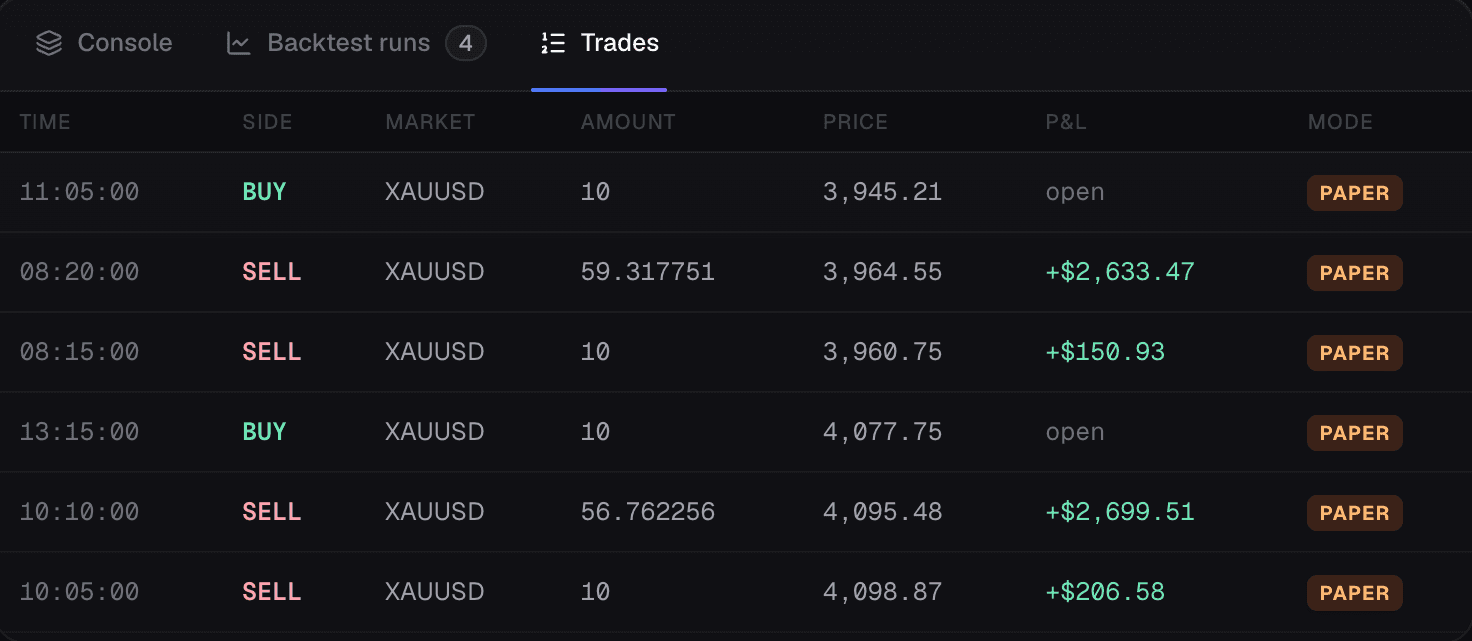
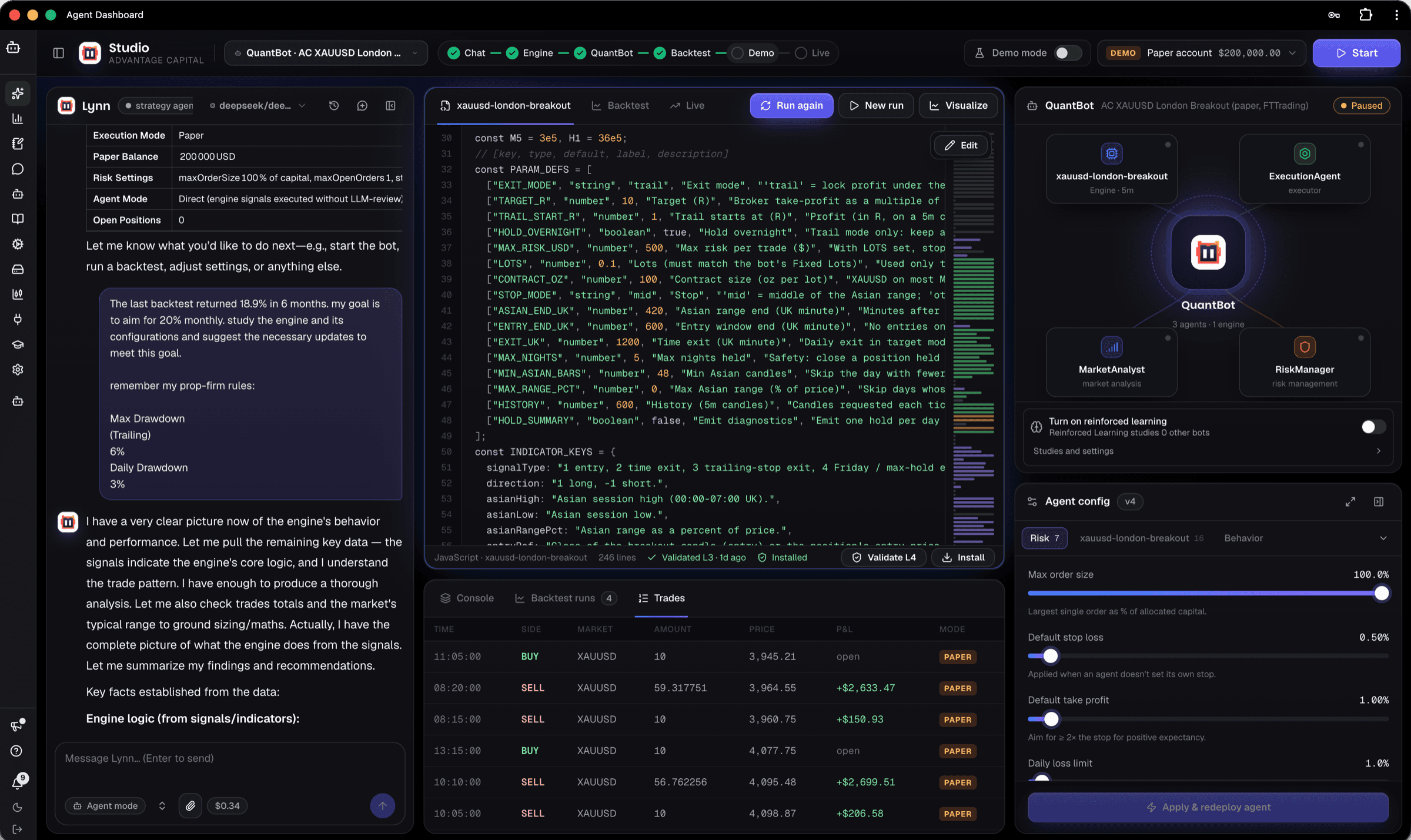
Paper trading runs your bot on live market prices with a simulated balance. It catches what a backtest cannot: how signals behave in real time, data gaps, sizing on a real balance, how often agents veto. Going live is the same bot, the same settings, a typed confirmation.
Try it free for 7 daysDocumented in the Learn Center: paper-to-live
Why it matters
The first mistake should always be free.
Realistic by design
Entries fill once a completed candle trades through the price plus your slippage. If one candle touches both stop and target, the stop is assumed first. Gaps fill at the open.
A balance you choose
Set the starting balance to mirror the account you will trade, a challenge size for instance. Fees default to 0.1% per side so results are not flattered.
A ten-item go-live checklist
A backtest of 100+ trades, paper in line with it, no unexplained skips, capital and risk budget set, size near the venue minimum, limits set deliberately, account connected, notifications on, and a written rule for when you will pause.
Same tools after the switch
Reset P&L tracking so paper results do not count toward the live risk budget. Scale in small steps, doubling at most, after 20 to 30 live trades that look like paper.
How it works
Step by step
- 01
Run on paper for 2 to 4 weeks
At least 20 to 30 closed trades and at least one losing streak. Paper trades are marked as paper and kept apart from live.
- 02
Check the list
Traces show no unexplained skip reasons. Daily loss limit and max open positions are set on purpose. Trade notifications are on.
- 03
Connect the live account
Exchange keys with trade permission and withdrawals disabled, or an MT5 account with Allow trading on and paid.
- 04
Switch
From Studio: Go live with real money shows the full risk summary; type the bot's name. From settings: pause, link the account, set Execution Mode to Live, start.
In numbers
What the product actually does
- 10,000
- Default paper starting balance, in the market's currency
- 5
- Candles before an unfilled paper entry expires
- 2–4 wk
- Suggested paper period before going live
- 10
- Items on the go-live checklist
- 0
- AI credits used by paper trading and engine-only backtests
- ×2
- The most to raise size by in one step
Plainly
What it will not do
- —Paper trading is optimistic: real fills can be worse than a candle-based simulation, especially in fast markets and thin books. If paper is only just profitable, live probably will not be.
- —Open paper positions are not carried into the live account. Switching cancels unfilled paper orders and resets the paper balance.
- —A paper bot still needs a working market connection. On MT5 that means a connected account.
Works with
Related features
- 03BacktestingReplay historical candles through your bot's engines, and optionally its AI agents, with realistic fees and slippage. Compare up to six runs on one chart, then restore the exact settings of the best one with a click.
- 05Position sizing and risk guardsSixteen documented risk settings with defaults, a hard risk budget that stops a bot for good, daily loss limits, cooldowns, a fat-finger guard, and on MT5 sizing from the loss at your stop. Every blocked entry is explained in the trace, with the setting to change.
- 09Quant BotsA Quant Bot runs one or more engines on one market at one candle interval, with its own capital, risk settings, agents and history. Start, pause and stop with a click. Trade by hand through the same guards. Edit stops on open positions. Every settings change saves a snapshot first.
Your next idea deserves a test, not a hope.
Deploy your Agent Dashboard, start from a template engine, and have a paper bot running in about fifteen minutes. 7 days free, on every plan.
Command Palette
Search for a command to run...