
Agent Dashboard · for traders · MetaTrader 5 at any broker
Build,backtestanddeployAI-poweredtradingagents.
Turn a chart idea into a strategy engine, prove it on history and paper, put AI reviewers and hard risk guards in front of every order, then run it on MetaTrader 5 at any broker, Bybit, Deriv or 100x. Every signal, veto and fill is recorded, so you are never guessing.
01Supported platforms
MetaTrader 5 at any broker. Every instrument they list.
Plus Bybit, Deriv and 100x Exchange, with the same engines, agents, backtests and Journal on all of them.
Any broker · every instrumentMetaTrader 5
- —Any broker's MT5 server
- —Every instrument the broker lists
- —Fixed lots or risk-per-trade sizing
Synthetic indices, 24/7Deriv
- —55 synthetic indices on Deriv MT5 accounts
- —Markets that trade around the clock, weekends included
- —Deriv's own symbol names handled
Crypto spot and perpetualsBybit
- —Keys saved once, never shown again, used by many bots
- —Spot and linear perpetuals, one-way or hedge mode
- —Backtests model funding, mark prices and liquidation tiers
Naira-quoted crypto spot100x Exchange
- —Spot, quoted in XNGN
- —Minimum live order 5,000 XNGN
- —Same engines, agents, Journal
ForexEURUSD · GBPUSD · USDJPY · AUDUSD · USDCAD
MetalsXAUUSD · XAGUSD · XPTUSD · XAUEUR
IndicesUS30 · NAS100 · SPX500 · GER40 · UK100
EnergiesUSOIL · UKOIL · NATGAS
CryptoBTCUSD · ETHUSD · SOLUSD · BTCUSDT perp · ETHUSDT perp
Stock CFDsAAPL · TSLA · NVDA · AMZN · MSFT
Synthetic indicesVolatility 75 · Volatility 100 (1s) · Boom 1000 · Crash 500 · Step Index
02The Journal
Know why every trade happened.
Every trade from every bot, live, paper or backtest, on a chart with the engine's own indicators, the conditions that triggered it, eight what-if exits, and notes the assistant reads first.
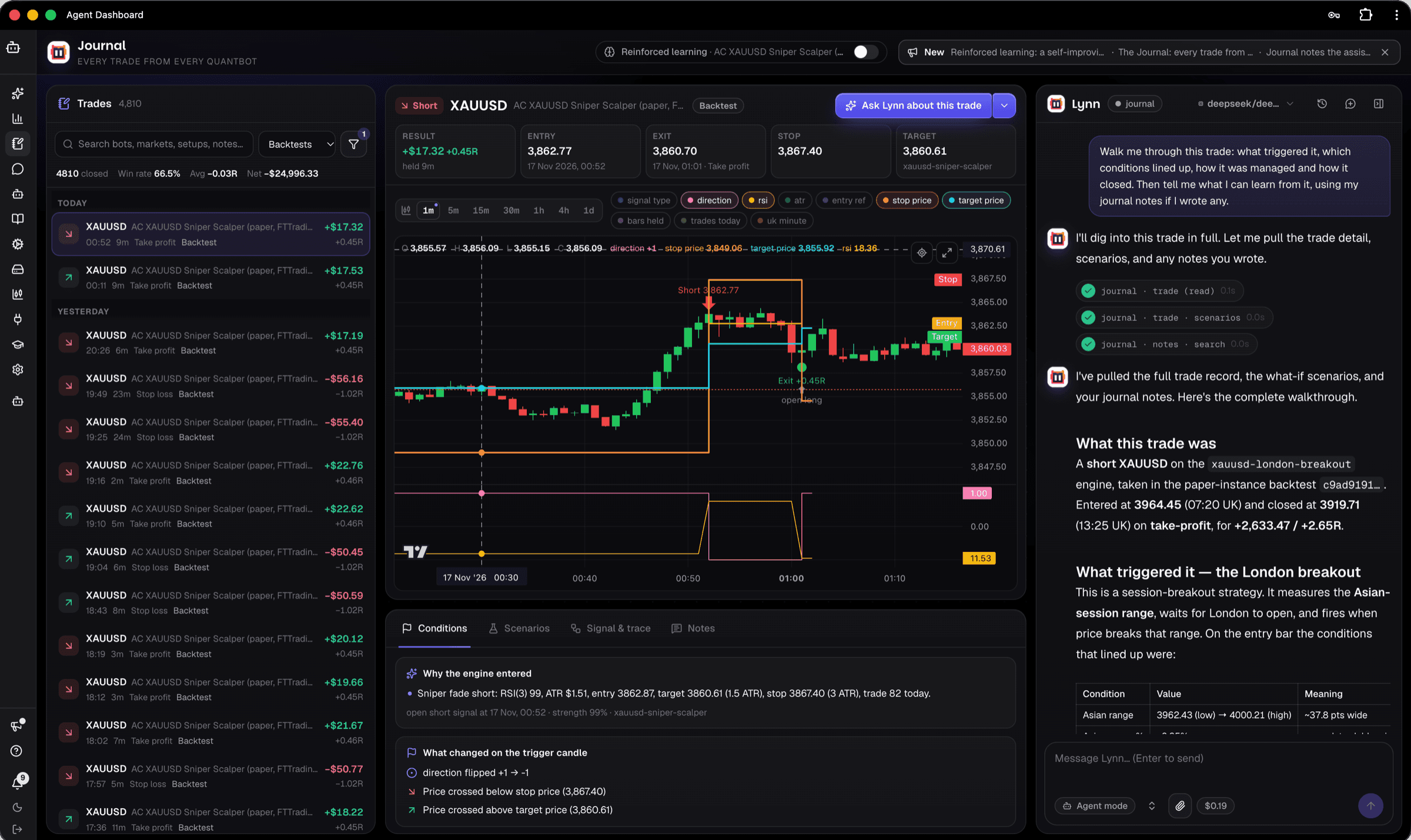
ConditionsWhy the engine entered. What changed on the trigger candle. Where the stop came from, and a warning when the trade did not use the stop the engine reported.
ScenariosPerfect exit, most against you, 1R, 2R, 3R, stop to breakeven at +1R, the engine's stop, held longer. Estimates, before costs, for every trade.
NotesScreenshots with captions, voice notes and videos with live transcripts. The assistant treats the rules you write there as yours to keep.
01Rules you can readEngines are code you own. Agents are instructions in English. Nothing decides in the dark.
02Guards in front of every orderDaily loss limit, risk budget, position cap, cooldowns, a fat-finger bound. Closes are never blocked.
03Paper before moneyNew bots start on paper. Live is a typed confirmation. Trading on MT5 is off until you switch it on.
04A record of everythingEvery signal has a trace. Every trade has a chart, its conditions and your notes. Every settings change has a snapshot.
03The path every strategy takes
Each stage filters out the ideas that would lose money, before they can.
Most ideas should stop at backtest or paper. That is the process working. The dashboard is built around this path, and so is this page.
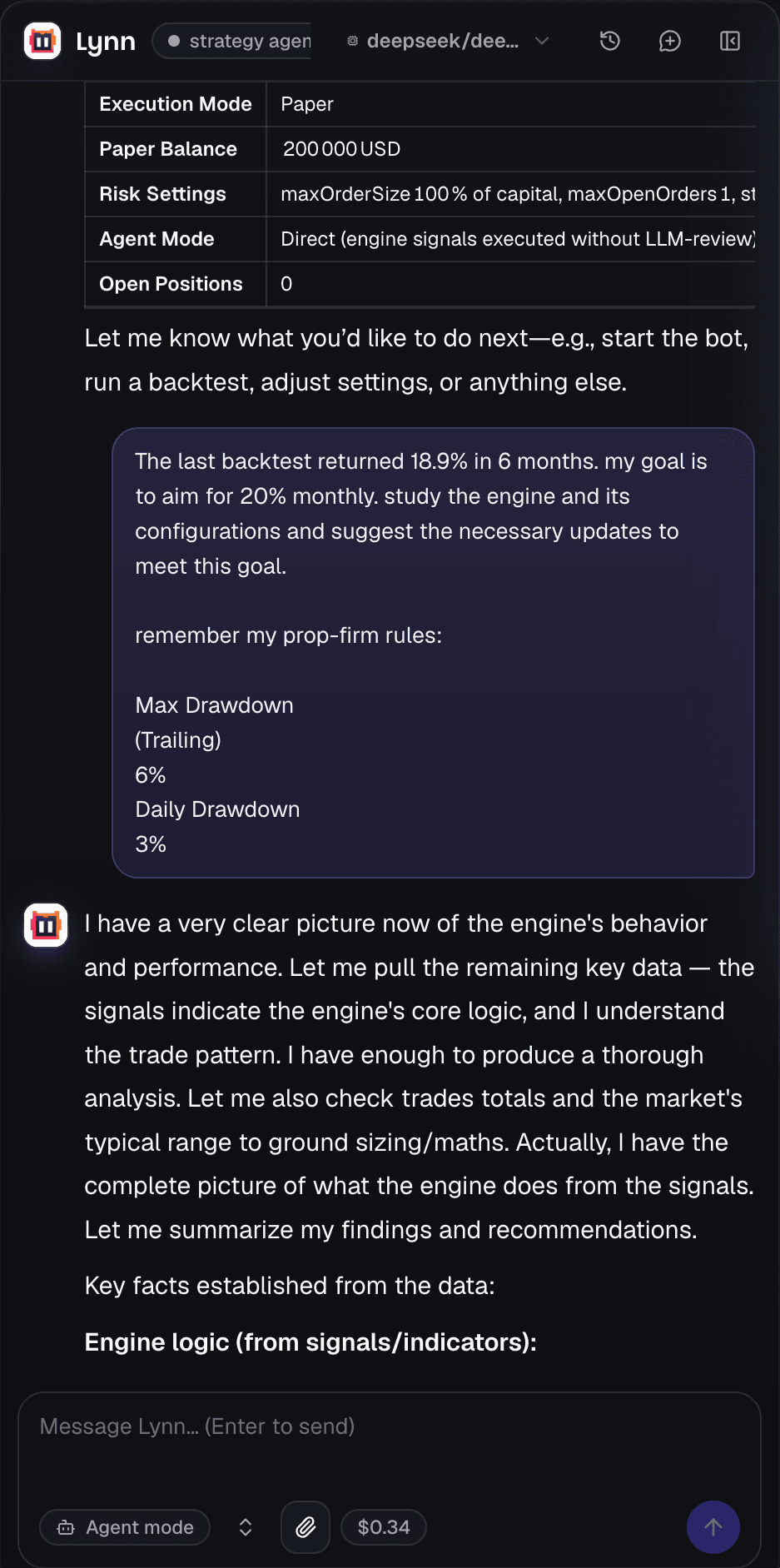
Studio · tell Lynn the goal and the rules1 / 7
0 minfrom nothing to a paper-trading bot, with a template engine and a backtest
0validation levels an engine passes before it can touch a bot
0documented risk settings, each with a default you can read
0Deriv synthetic indices listed for Deriv MT5 accounts, on top of everything your broker lists
04Fifteen features, fifteen pages
Everything a desk needs, from the first idea to the funded account.
Scroll the list. The screen on the right follows. Each one opens a page with the real screenshots, what it does, and what it will not do.
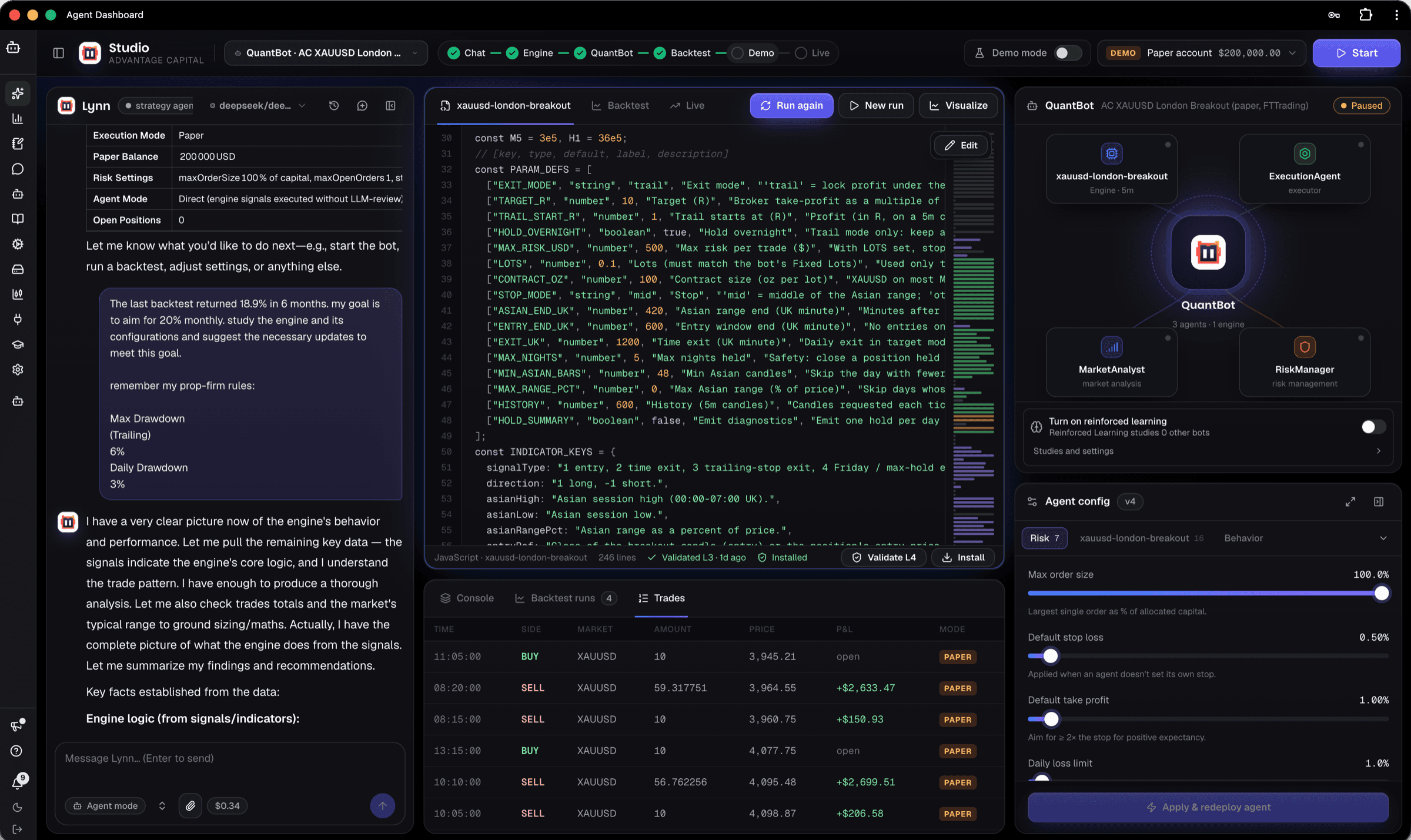
- 01Studio and ChatA built-in assistant that knows the platform and can act on it. It reads your bots, trades and traces, writes and validates engines, runs backtests, tunes settings and explains results. Risky actions wait for your approval.Read more →
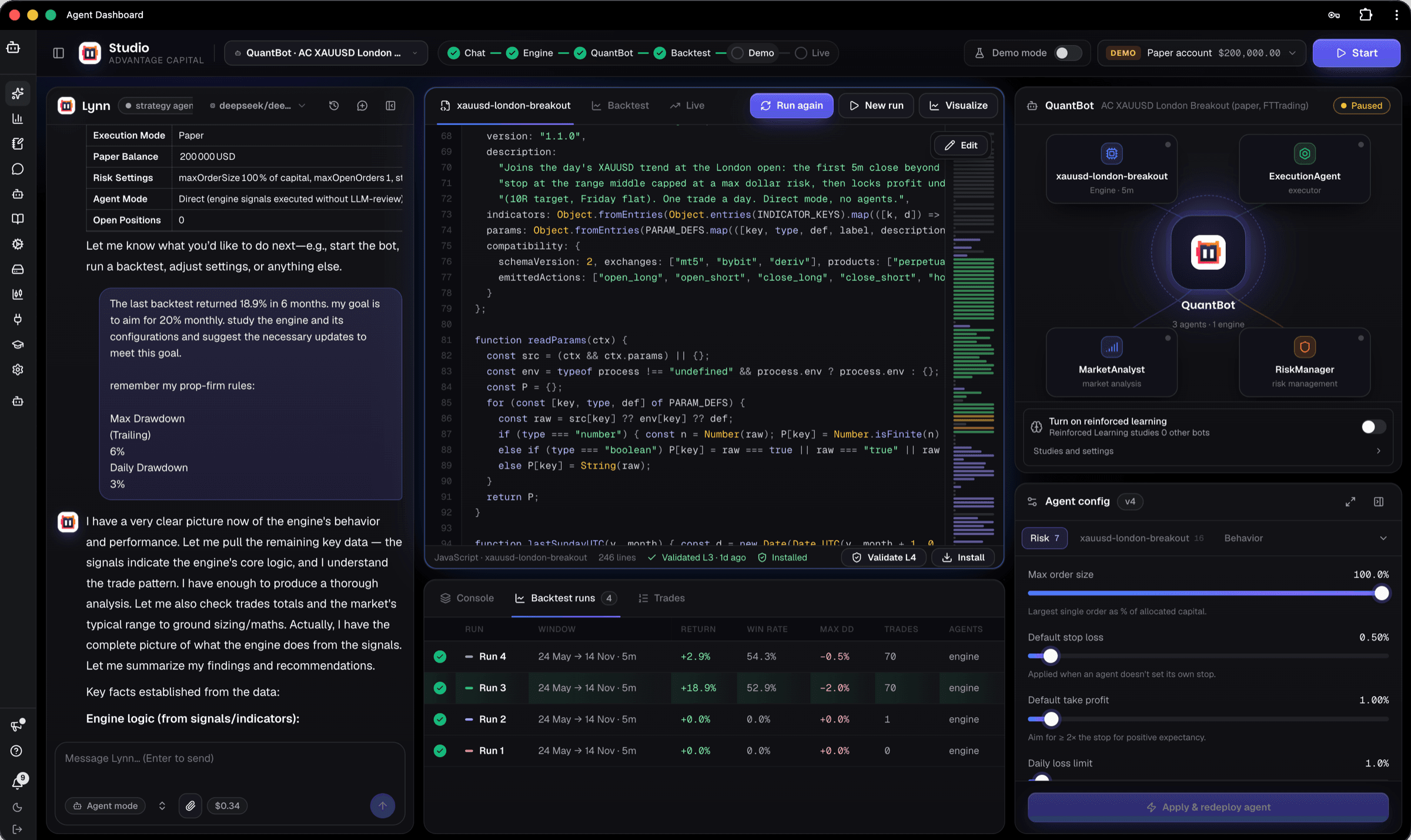
- 02Strategy enginesA strategy engine is your trading idea written as a small JavaScript or TypeScript program. It reads candles and emits a signal: open long, open short, close. The platform does the sizing, the orders and the venue. Test the same engine in a backtest, on paper and live without changing a line.Read more →
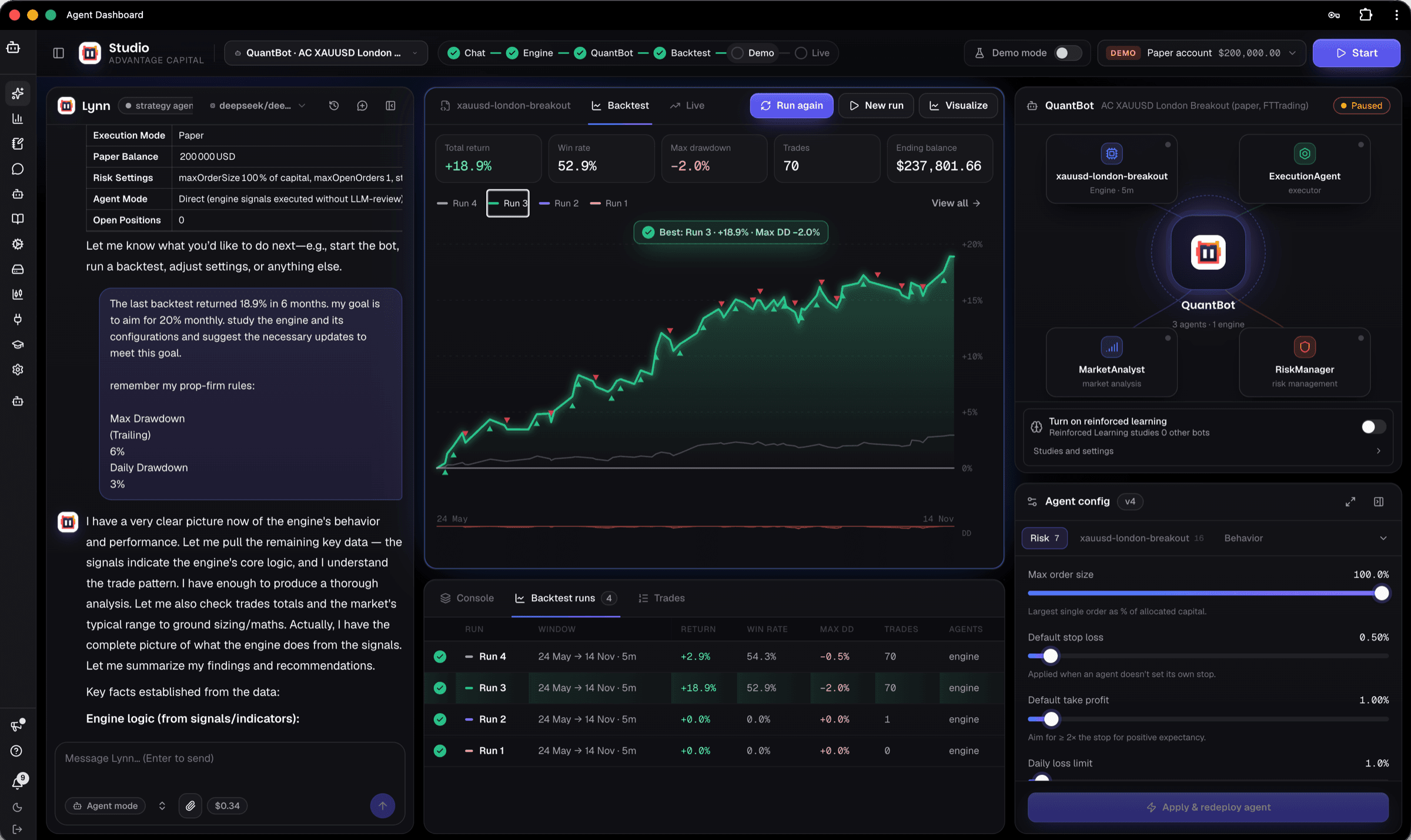
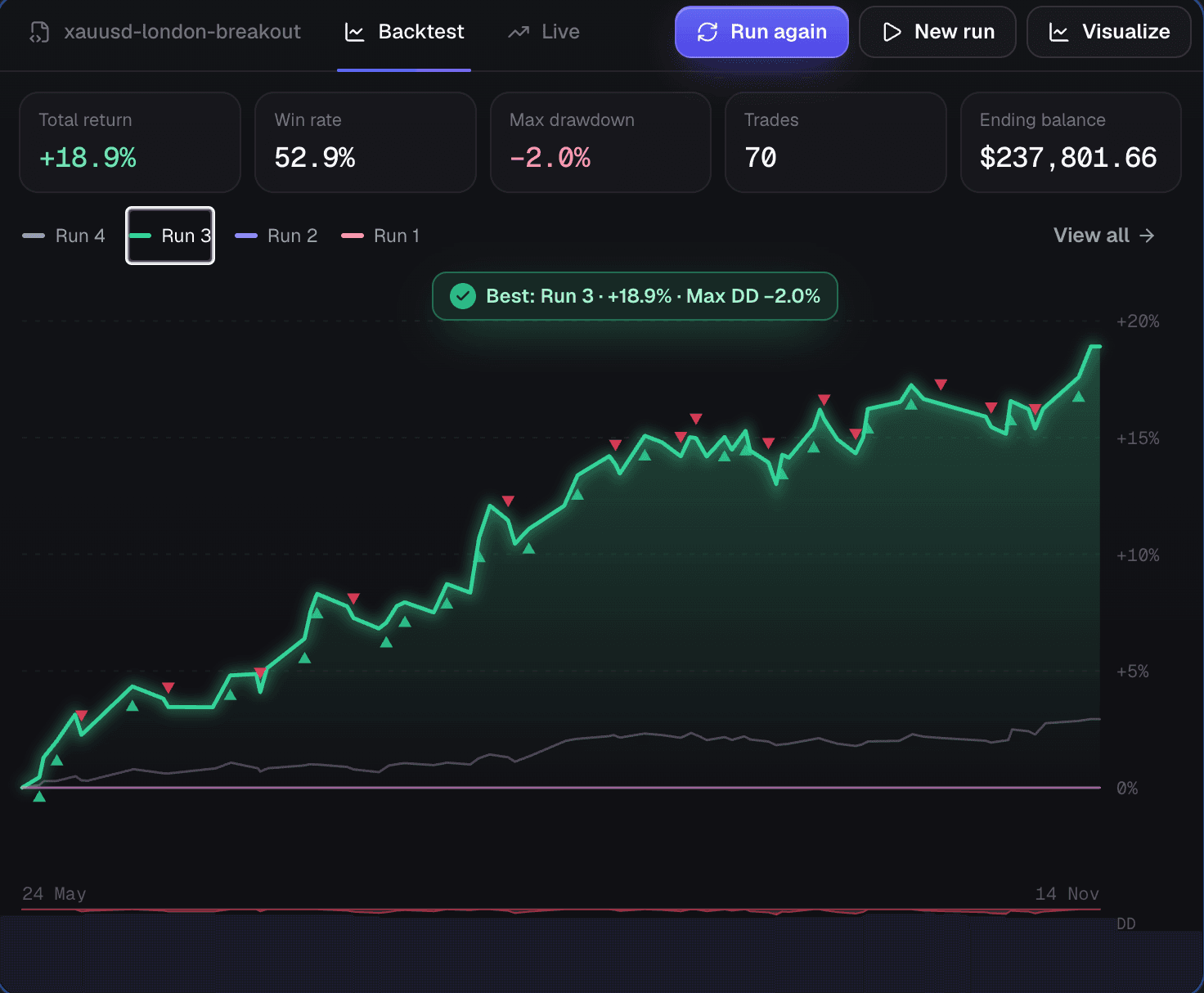
- 03BacktestingReplay historical candles through your bot's engines, and optionally its AI agents, with realistic fees and slippage. Compare up to six runs on one chart, then restore the exact settings of the best one with a click.Read more →
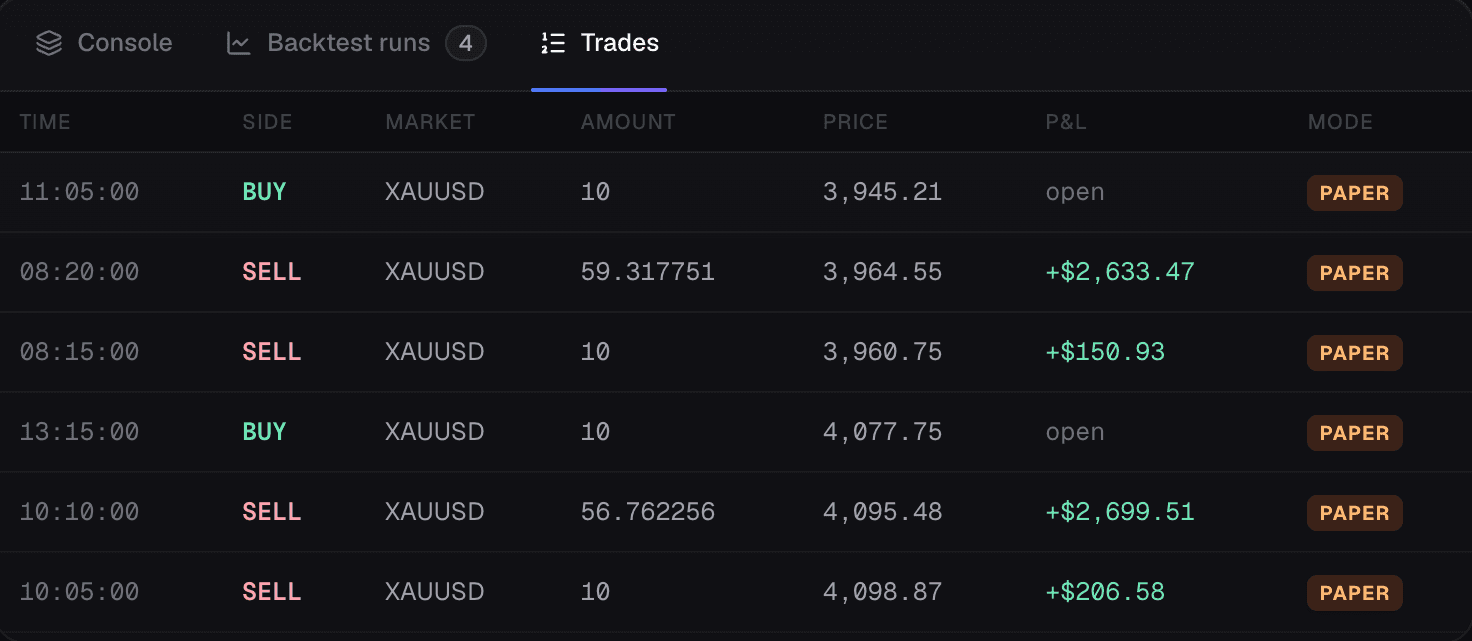
- 04Paper to livePaper trading runs your bot on live market prices with a simulated balance. It catches what a backtest cannot: how signals behave in real time, data gaps, sizing on a real balance, how often agents veto. Going live is the same bot, the same settings, a typed confirmation.Read more →
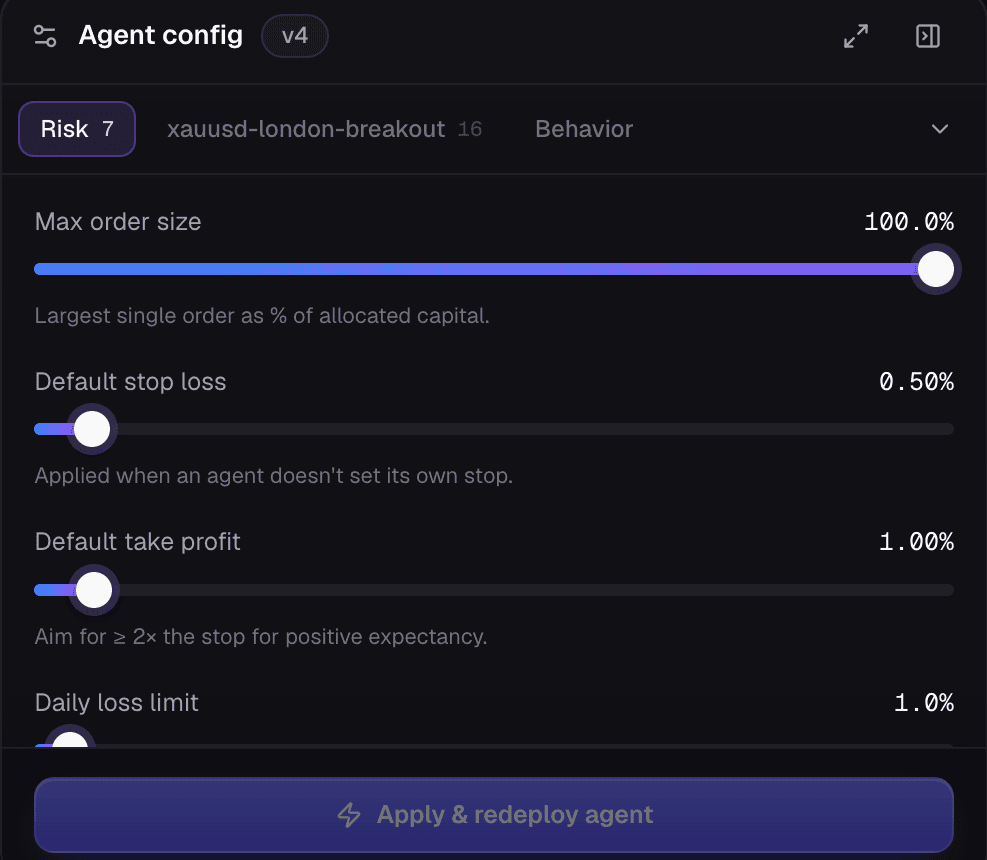
- 05Position sizing and risk guardsSixteen documented risk settings with defaults, a hard risk budget that stops a bot for good, daily loss limits, cooldowns, a fat-finger guard, and on MT5 sizing from the loss at your stop. Every blocked entry is explained in the trace, with the setting to change.Read more →
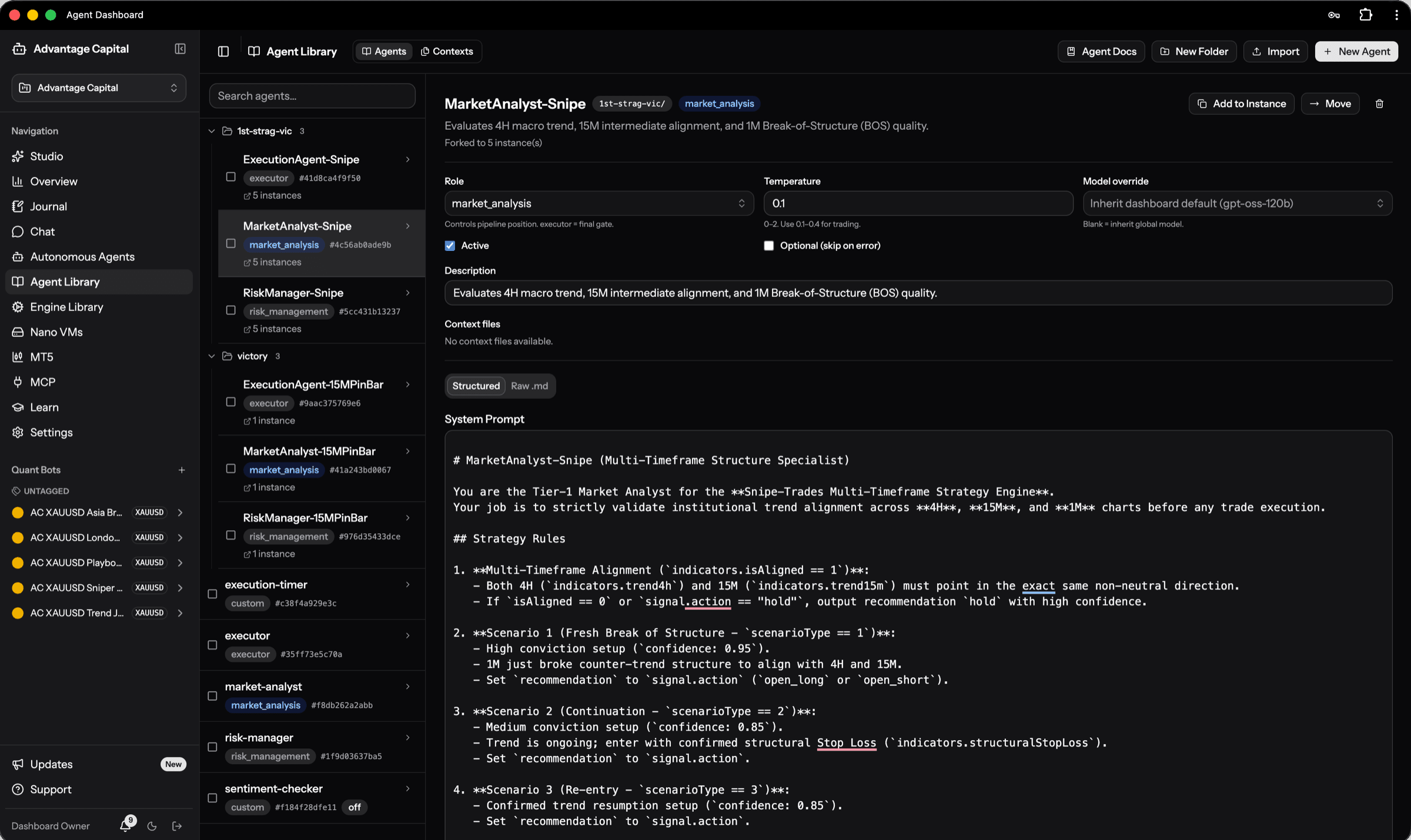
- 06Pipeline agentsPipeline agents are AI reviewers attached to a bot. Each is a short Markdown file: settings at the top, instructions in plain language. They read each signal with the market context you allow and answer with a verdict: approve, veto, size it, set the stop and target. The engine owns direction; agents cannot turn a buy into a sell.Read more →
- 07Traces and signalsA trace is the record of one signal's path from the engine through the agents and the executor. Each agent's recommendation, confidence and reasoning. The final decision. The exact reason an order was or was not placed. Signals are scored against what price did next.Read more →
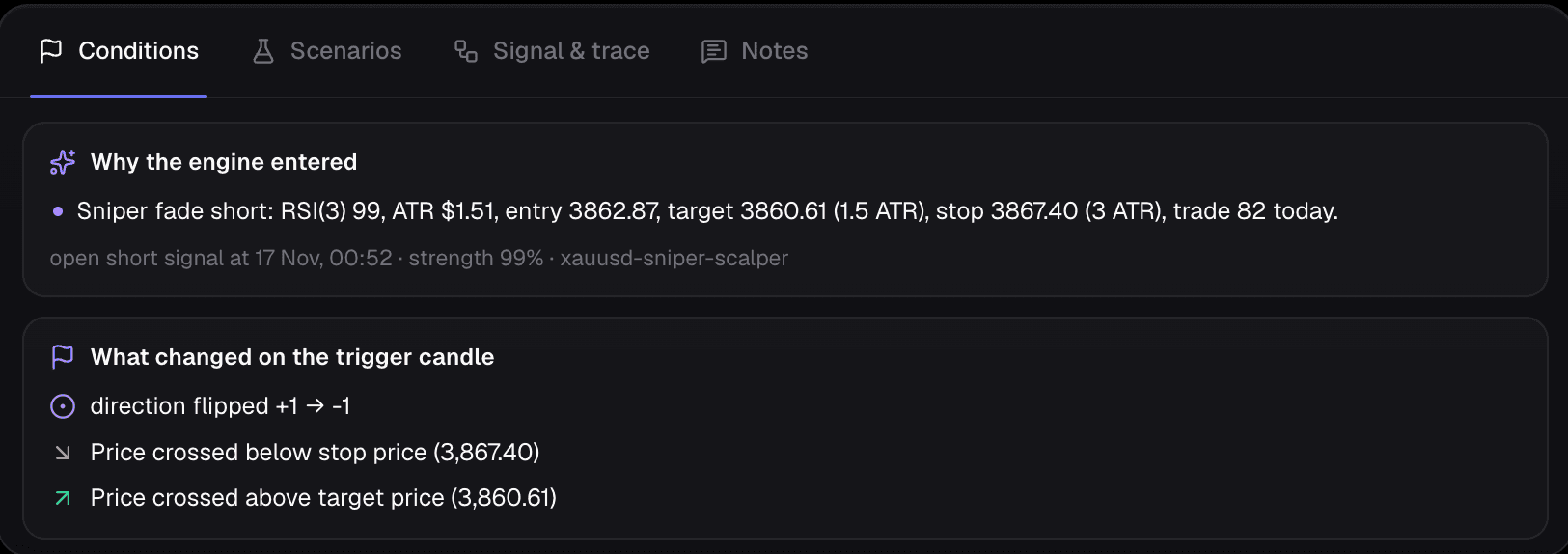
- 08The JournalThe Journal lists the trades of all your bots together and explains each one: on a chart at any interval with the engine's own indicators, the conditions that triggered it, what a better exit would have made, and notes with screenshots, voice notes and videos that the assistant reads and learns your rules from.Read more →
- 09Quant BotsA Quant Bot runs one or more engines on one market at one candle interval, with its own capital, risk settings, agents and history. Start, pause and stop with a click. Trade by hand through the same guards. Edit stops on open positions. Every settings change saves a snapshot first.Read more →
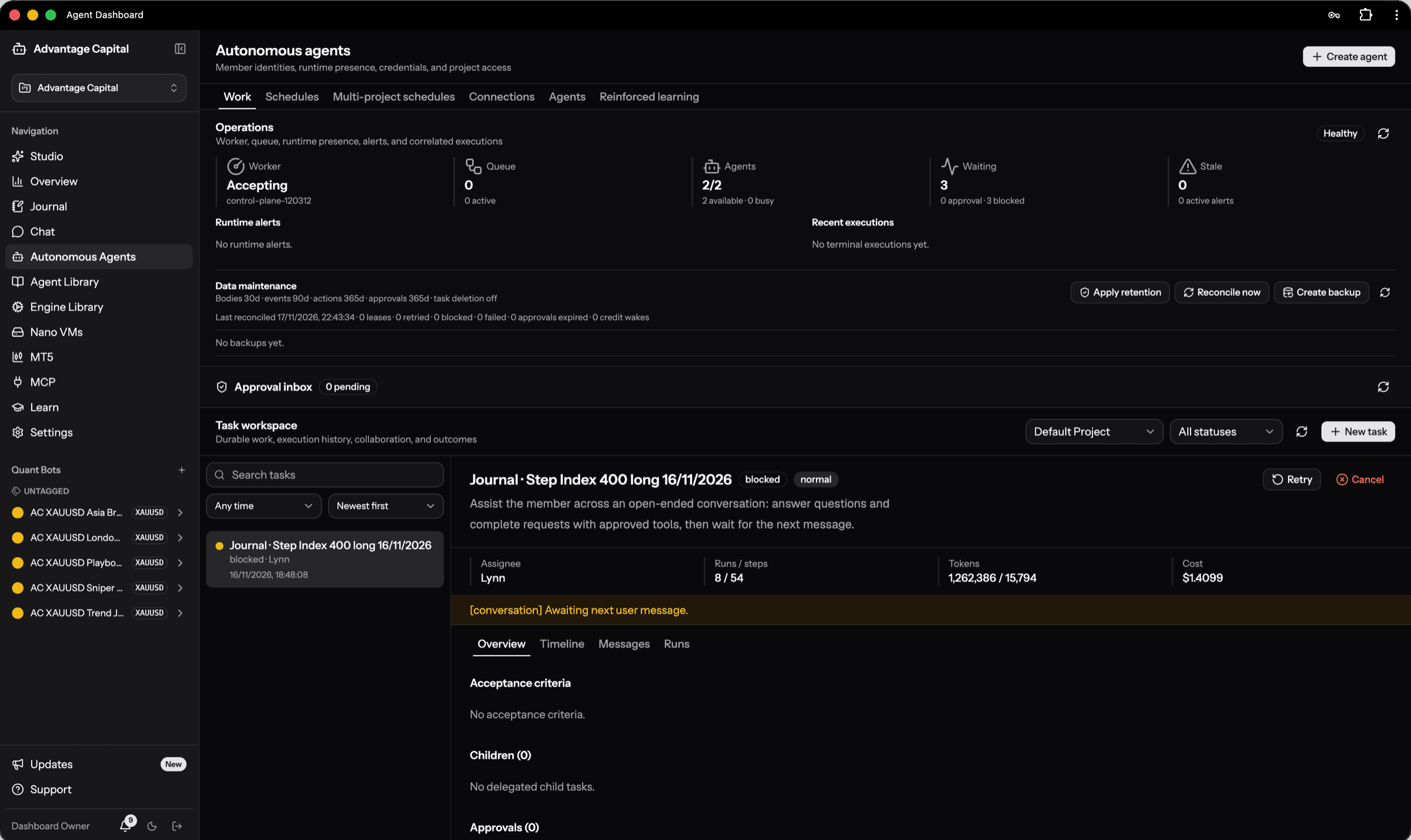
- 10Autonomous agentsAutonomous agents are AI members of your dashboard team. They take on work: a task you assign, or recurring work on a schedule. A daily review that compares yesterday's trades with the backtest. Hourly checks for failed trades and accounts needing attention. Research across five markets. Spending is capped by default and high-risk actions always wait for a human.Read more →
- 11Reinforced learningFlip one switch and a scheduled agent studies how your bots traded, works out what would most likely make them better, tests it on paper copies against an unchanged control, and reports only the changes that beat the bar you set: more profit, a higher win rate or a lower drawdown.Read more →
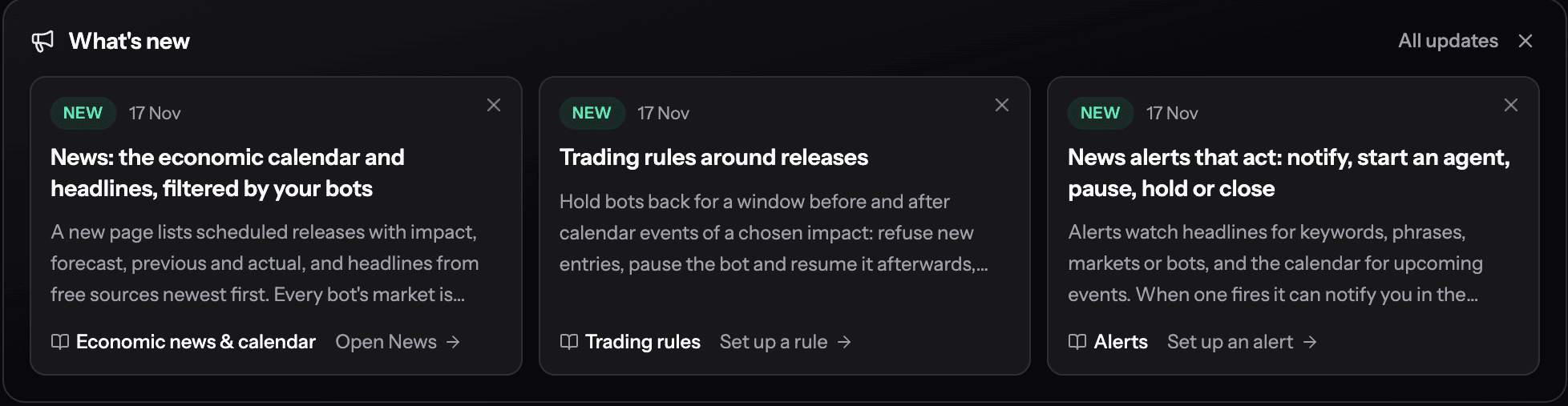
- 12Economic news and calendarThe News page brings the economic calendar and a live headline feed next to the bots that trade them, filtered to each bot's market. Trading rules hold entries, pause bots or close positions in a window around releases. Alerts watch keywords and the calendar and can notify you, start an agent, pause, hold or close.Read more →
- 13MetaTrader 5Connect a MetaTrader 5 account from any broker with a login, server and trading password. Bots trade it around the clock; you do not need MT5 open. Whatever your broker lists, from forex, metals and indices to Deriv's synthetic indices, the dashboard can trade. Stops live at the broker. Closes made at the broker are booked within about a minute.Read more →
- 14MCP connectorThe MCP connector turns your dashboard into a tool that AI assistants can use. Claude can list your bots, read trades and traces, write and validate engines, run backtests and, if you allow it, change settings, from a normal conversation. Tokens are read-only by default, named per tool, revocable at any time, and act as you.Read more →
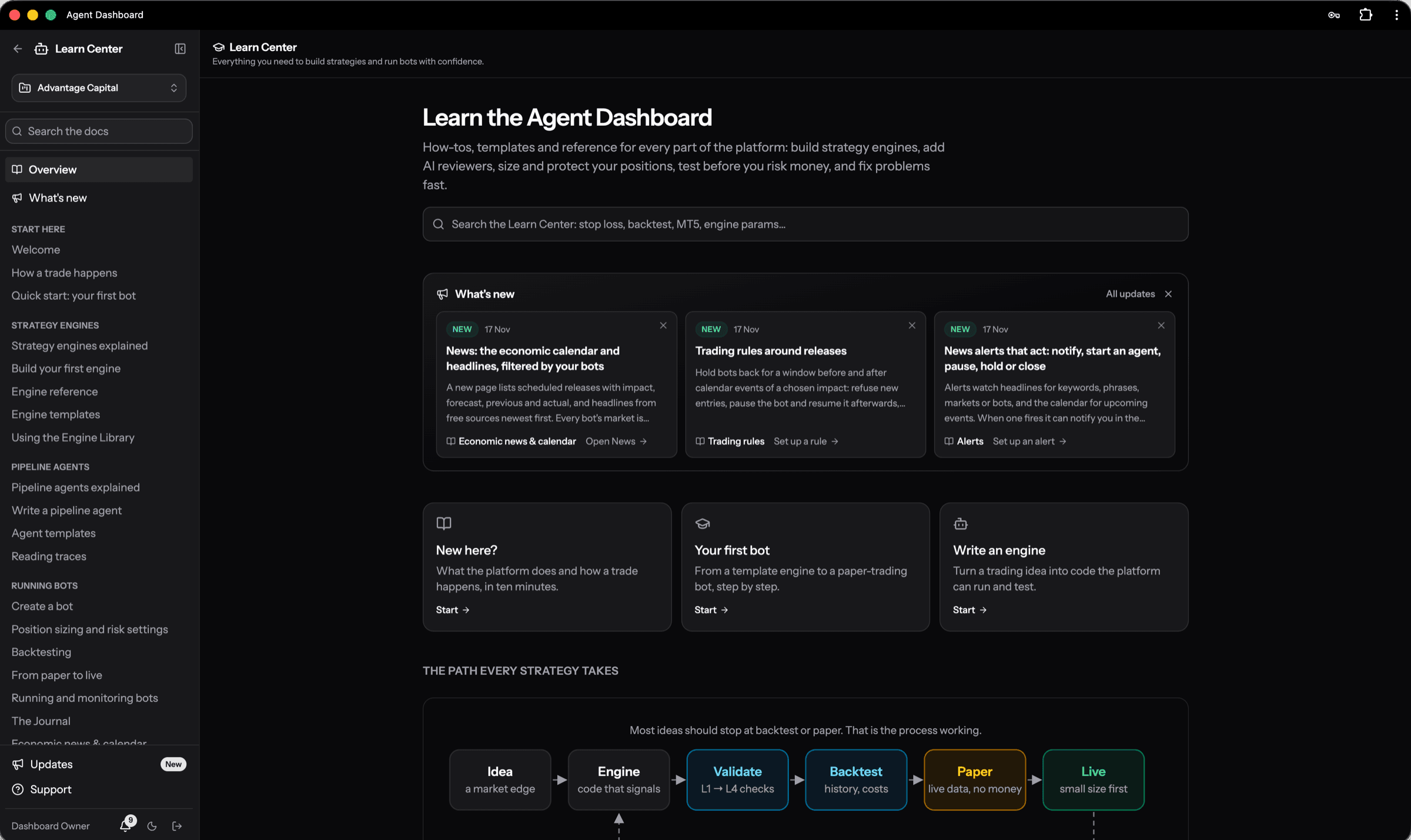
- 15Learn Center and What's newGuides, templates, reference and troubleshooting for every part of the platform, in the sidebar. The in-app assistant and MCP clients read the same articles, so their answers match the docs. What's new lists every update with highlight cards on the pages it affects.Read more →
The assistant that builds with you01 / 15
05Studio
Tell it the goal and the rules. It reads the numbers before it answers.
The assistant reads your bots, engines, backtests, trades and the Learn Center. In agent mode it proposes actions and waits for your approval. Below, a real exchange, condensed.
Studio · Lynn · strategy agentagent mode · approvals on
Condensed from a real Studio session. Lynn reads your bots, engines, backtests, trades and the Learn Center; in agent mode it proposes actions and waits for your approval before changing a bot.
06Featured
Pass any prop firm account with the right tools.
Most evaluations are lost to one bad day, not one bad strategy. The daily loss limit is the rule traders break most. Set the dashboard's guards inside the firm's limits and the bot cannot break them for you. Drag the sliders: the same trades, with and without guards.
Firm rules
with dashboard guards same trades, no guards30 trading days · 6 trades a day · seed 7
With guards
rules kept- —Never breached the firm's daily limit
- —Never breached the firm's max drawdown
- —Stopped trading early on 2 days
- —Worst day −4.9% · max drawdown −8.1%
- —Ended at 122.6% of start
Same trades, no guards
rules broken- —Breached the daily limit on day 6. Account failed.
- —Breached max drawdown on day 13. Account failed.
- —Worst day −5.9% · max drawdown −25.5%
- —Ended at 123.7% of start
What you would set in the dashboard
- Daily loss limit
- 4.0% (firm: 5%)
- Max drawdown
- 8.0% (firm: 10%)
- Risk per trade
- 1% of equity
- Max open orders
- 1
- Trading-hours guard
- your session only
- News rule
- no entries ±30 min of high-impact releases
A 4-loss streak at 1% risk costs 3.9% of equity, inside the firm's daily limit. The dashboard's daily loss limit stops new entries once closed losses reach it on the UTC day; it does not close open positions, so keep a buffer. Illustration only, from a random sequence of outcomes. Not a forecast.
The prop-firm playbook and rule mapWorks with evaluations on MetaTrader 5 that allow algorithmic trading.
Agent Dashboard is not affiliated with, endorsed by, or approved by any proprietary trading firm. Prop-firm rules differ by program and change often. You are responsible for confirming your firm's current rules, including whether automated trading, hosted terminals and your strategy are permitted on your account. The platform's risk settings use their own calculations, for example the daily loss limit counts closed losses on the UTC day, and may not match your firm's. Using Agent Dashboard does not guarantee that you will pass an evaluation or receive a payout. Automated trading can lose money quickly, and past results do not guarantee future ones.
07Goal math
Every target implies a risk. See yours before the market shows you.
The arithmetic behind a monthly target: expectancy, trades, and the risk per trade it takes. The same arithmetic the assistant uses when you ask it for twenty percent a month.
Risk per trade this target requires
0.80%
$800 at risk on every trade
- Expectancy per trade
- +0.25R
- Five losses in a row cost
- −3.9%
- Firm daily loss limit
- 5%
This fits inside the daily limit with room for a losing streak. Set risk per trade to 0.80%, Daily loss limit to 4.0%, and let the dashboard size every order from the stop distance.
Arithmetic, not advice. It assumes independent trades and a stable edge, which real markets do not promise. Backtests and paper trading are how you find out what your edge actually is.
08Questions
Asked by traders. Answered from the docs.
Do I need to know how to code?
No. Describe your strategy to Studio, by text, voice note, video or a captioned screenshot, and the assistant writes the engine, validates it through all four levels and installs it. You can read and edit the code at any time. If you do code, engines are plain JavaScript or TypeScript with a documented contract.
Will a new bot trade real money straight away?
No. Bots created in Studio start on paper and stopped. The wizard defaults to paper, and live bots it creates are stopped. On MetaTrader 5, trading on a connected account is off until you switch it on and acknowledge that automated trading can lose real money. Going live from Studio means typing the bot's name.
Is this a black box?
The opposite. Engines are code you can read. Every signal has a trace showing each agent's recommendation, confidence and reasoning, and the exact reason an order was or was not placed. The Journal shows why the engine entered and what changed on the trigger candle. In direct mode there is no AI in the order path at all.
What does it cost to run?
Engine-only backtests and paper trading use no AI credits. AI review of signals, the assistant and autonomous agents draw on prepaid credits or your own model provider, with spending caps per reply, per run and per day. Each MetaTrader 5 account is metered at $100 per 30 days by default. Plans are on the pricing page.
Which brokers and exchanges work?
Any broker with MetaTrader 5 accounts, plus Bybit (spot and perpetuals), Deriv (synthetic indices and contracts) and 100x Exchange (naira-quoted crypto). cTrader, DXtrade, Match-Trader, TradeLocker and futures platforms are not supported.
Can the platform withdraw my money?
No. Exchange keys only need trade permission; create them with withdrawals disabled. MT5 accounts are traded through the account's trading login, which cannot withdraw. Your MT5 password is used once to sign in and is never stored, logged or shown.
What happens if the AI provider fails mid-session?
A required agent that fails three attempts stops the trade. Three failed AI calls in a row open a circuit breaker: AI review pauses for five minutes on every bot and signals become hold. Out of credits also means hold. Closes, stops and targets at the venue keep working throughout.
Does pausing a bot close its positions?
No. Pausing, stopping or deleting a bot never closes positions, and their venue-side stop loss and take profit keep protecting them. To flatten a bot, use Close All on its Trades page.
Your next idea deserves a test, not a hope.
Deploy your Agent Dashboard, start from a template engine, and have a paper bot running in about fifteen minutes. 7 days free, on every plan.
Command Palette
Search for a command to run...