
Hand off the monitoring. Keep the decisions.
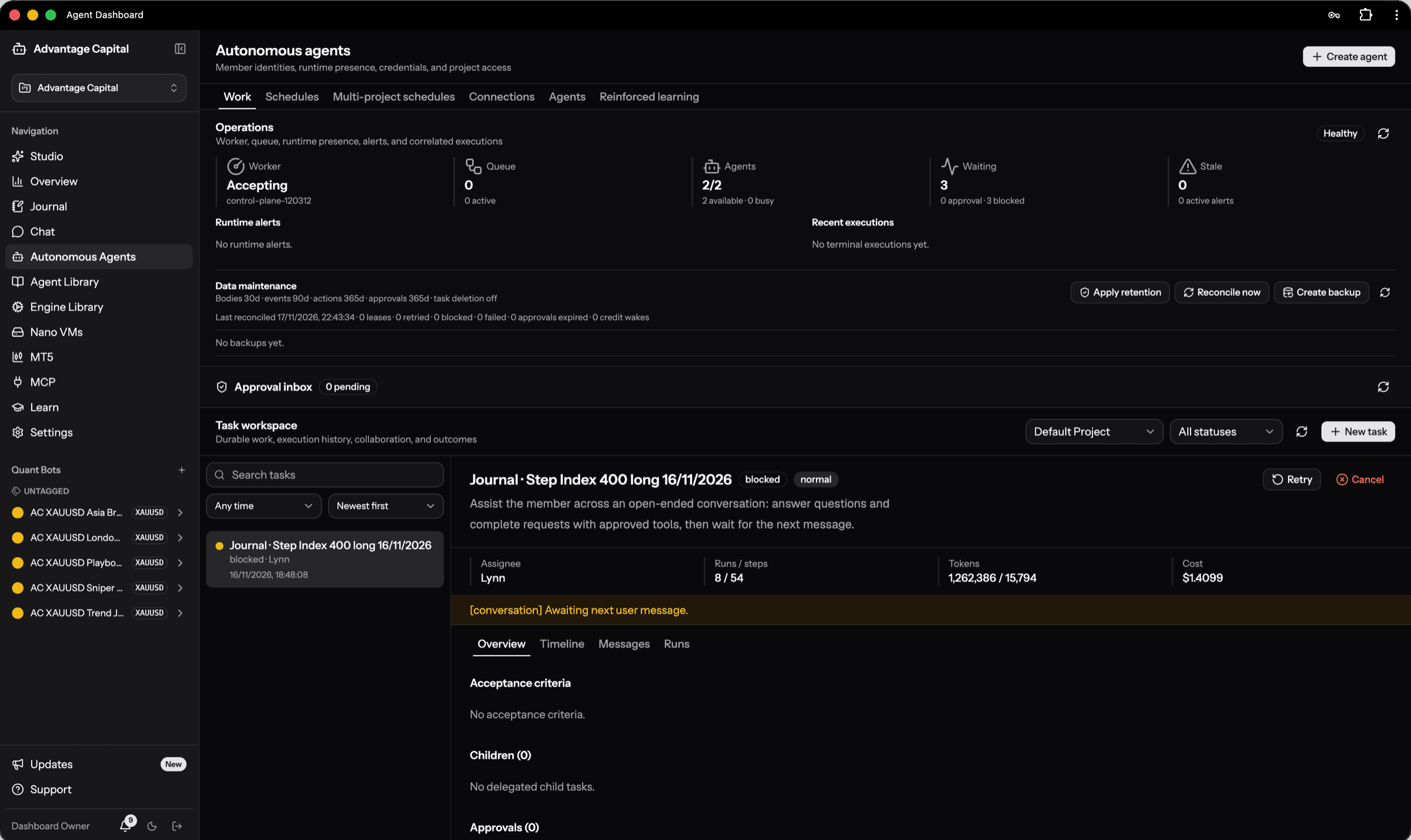
Autonomous agents are AI members of your dashboard team. They take on work: a task you assign, or recurring work on a schedule. A daily review that compares yesterday's trades with the backtest. Hourly checks for failed trades and accounts needing attention. Research across five markets. Spending is capped by default and high-risk actions always wait for a human.
Try it free for 7 daysDocumented in the Learn Center: autonomous-agents
Why it matters
Around-the-clock coverage without around-the-clock screens.
Roles per project
Viewer reads. Operator reads and changes bots. Admin and owner do everything in the project. With a low role, every write the agent attempts becomes an approval for you to decide.
Budgets by default
A new agent starts at one run at a time, 20 steps, one minute and $0.50 per run, $5 per day. Schedules default to 8 steps and $0.25 per occurrence. You see every AI call with its cost.
An approval inbox
Changing settings, creating bots, manual orders, publishing, deleting, capital changes and running code in a Nano VM all wait in Work → Approval inbox with a deadline. Agents can never approve their own requests.
Evidence, not assertions
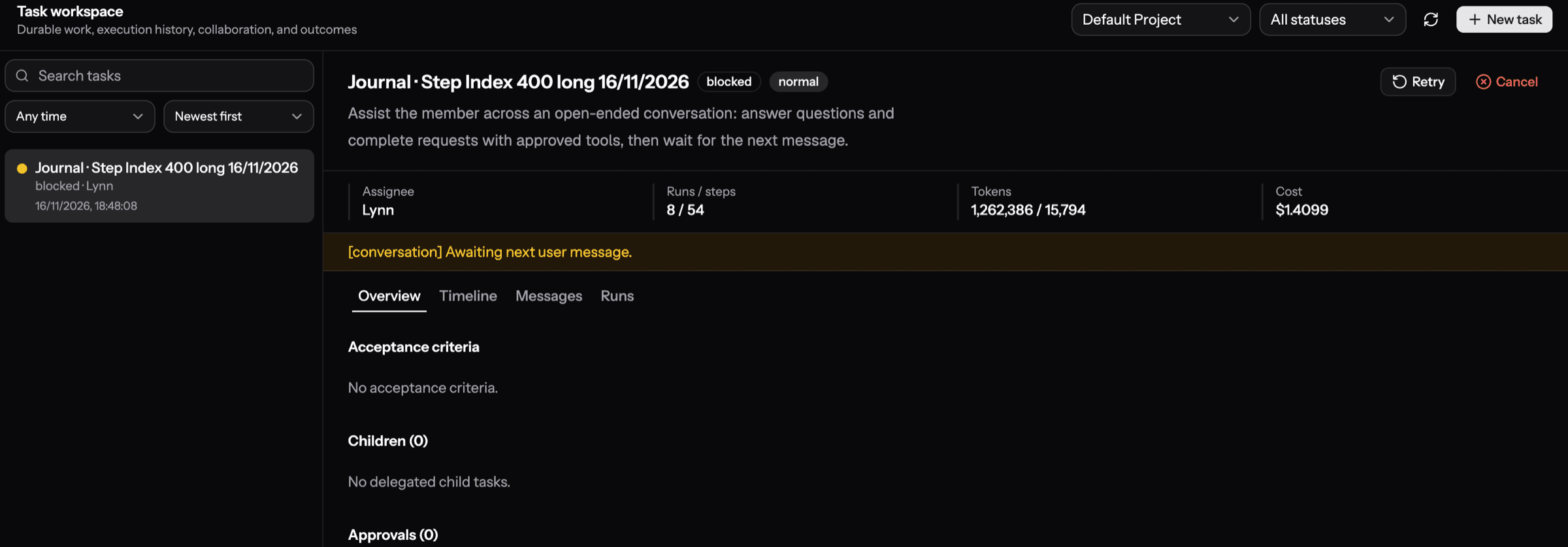
Each task shows a timeline, messages, runs, cost and approvals. Message it mid-task, retry it, cancel it. After three identical failures it blocks for your review.
How it works
Step by step
- 01
Create an agent
Name, description, standing instructions and a model, or inherit the dashboard default.
- 02
Give it work
A task with a title, goal, assignee and priority. Or a schedule: every 15 minutes, hourly, every 6 hours, daily or weekly. Multi-project schedules apply one template across projects, each with its own agent and budget.
- 03
Let news wake it
A news alert can start an agent task with the headline, the bots in scope and your instructions, under a budget.
- 04
Review and suspend
The Agents tab shows presence, running tasks and last activity. Suspend pauses an agent and revokes its credentials.
In numbers
What the product actually does
- $0.50
- Default budget per run; $5 per day
- 5
- Schedule cadences, from every 15 minutes to weekly
- 4
- Project roles: viewer, operator, admin, owner
- 1 hour
- Default deadline on an approval
- 6
- Tabs: Work, Schedules, Multi-project schedules, Connections, Agents, Reinforced learning
- 0
- High-risk actions an agent can approve for itself
Plainly
What it will not do
- —Missed schedule slots are skipped, not caught up. When AI credits run out, tasks block until you top up.
- —For heavy analysis an agent can rent a Nano VM: a short-lived, isolated computer with no internet access and no access to your secrets, billed per minute. Every rental needs your approval.
Works with
Related features
- 11Reinforced learningFlip one switch and a scheduled agent studies how your bots traded, works out what would most likely make them better, tests it on paper copies against an unchanged control, and reports only the changes that beat the bar you set: more profit, a higher win rate or a lower drawdown.
- 12Economic news and calendarThe News page brings the economic calendar and a live headline feed next to the bots that trade them, filtered to each bot's market. Trading rules hold entries, pause bots or close positions in a window around releases. Alerts watch keywords and the calendar and can notify you, start an agent, pause, hold or close.
- 01Studio and ChatA built-in assistant that knows the platform and can act on it. It reads your bots, trades and traces, writes and validates engines, runs backtests, tunes settings and explains results. Risky actions wait for your approval.
Your next idea deserves a test, not a hope.
Deploy your Agent Dashboard, start from a template engine, and have a paper bot running in about fifteen minutes. 7 days free, on every plan.
Command Palette
Search for a command to run...