
It studies your trades, tests one change at a time, and never touches your bots.
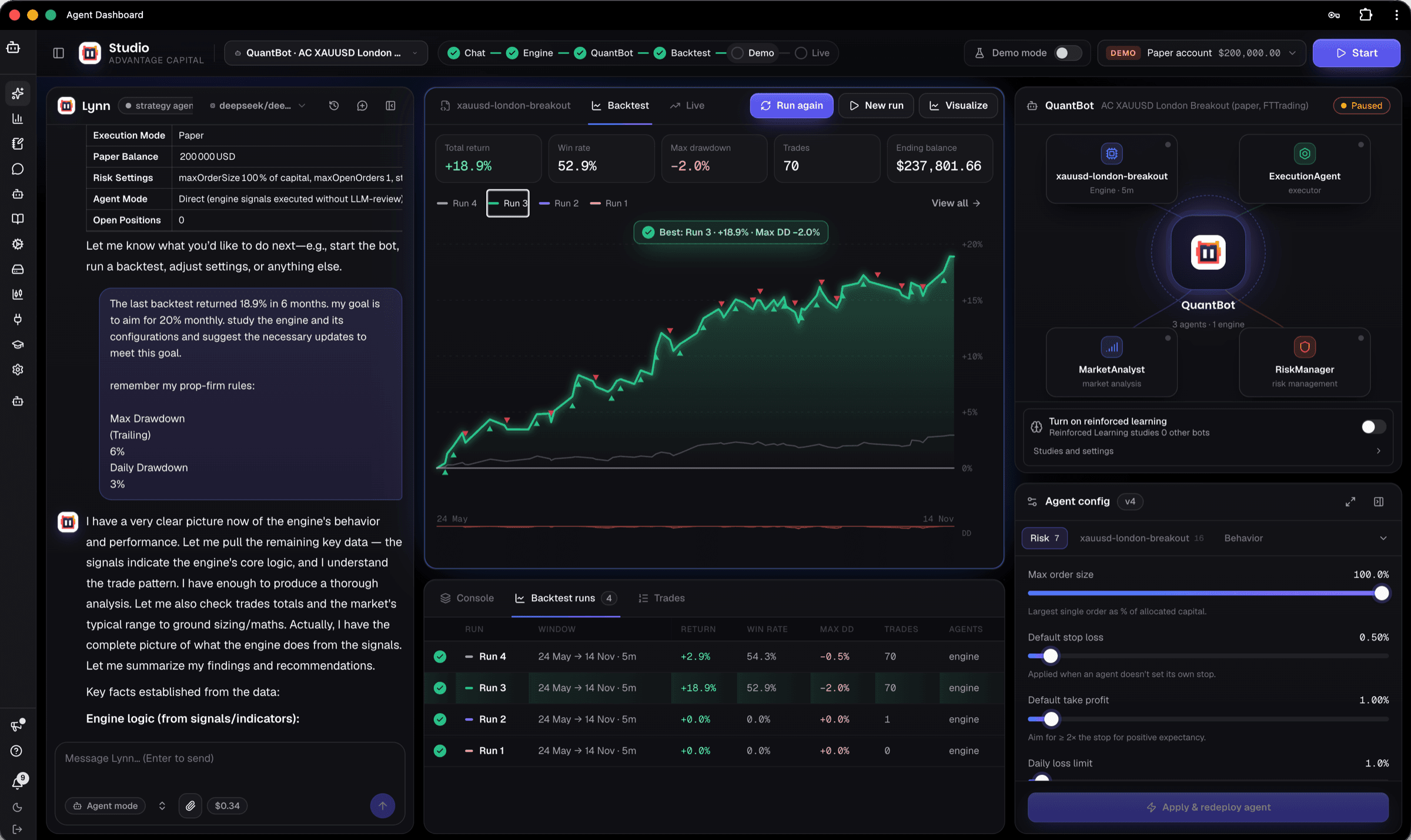
Flip one switch and a scheduled agent studies how your bots traded, works out what would most likely make them better, tests it on paper copies against an unchanged control, and reports only the changes that beat the bar you set: more profit, a higher win rate or a lower drawdown.
Try it free for 7 daysDocumented in the Learn Center: reinforced-learning
Why it matters
Disciplined research, on a schedule, with your bots fenced off.
Two modes
Run experiments for me: it copies bots and engines as paper copies, changes the copies, backtests them and reports. Reports only: it recommends exact experiments and waits for your approval on each step. Switch any time.
Control versus variant
Every test compares an unchanged control copy with a variant carrying one change over the same window. Verdicts are better, worse or inconclusive, with run ids you can open.
Your criteria
Optimise for profit, win rate or drawdown. Must beat the original by a margin you set. Extra drawdown allowed, zero if you like. Minimum trades. A 30 to 180-day window. Experiments per study.
Fenced by the platform
It never changes, starts, pauses or backtests your bots. Experiment copies are stopped paper bots with no account, ids starting with rl-. Switching one to live is refused by the platform, not just by the agent's instructions.
How it works
Step by step
- 01
Study
Win rate, average R, losing streaks, best and worst trades, what-ifs, and the notes you wrote in the Journal.
- 02
Hypothesise
Use the engine's structural stop instead of the default. Skip shorts in the Asian session. Trail the stop after +1R.
- 03
Test
Engine copies are validated at level 4, then backtested as control and variant.
- 04
Report
A notification with the numbers. Applying a winning change is your decision, and the docs say paper first.

In numbers
What the product actually does
- $0.10–$20
- AI budget per study; the agent's daily limit is about twice that
- 30–180 d
- Backtest window you choose
- 3
- Things to optimise for: profit, win rate, drawdown
- 4
- Places to flip the switch: bot settings, Studio, the bot header, the Journal
Plainly
What it will not do
- —The agent never applies a winning change to your bot, and nothing it does goes live. A report says so when the evidence is thin.
- —It is a scheduled AI agent running controlled backtest experiments, not machine-learning model training. The product's name is reinforced learning; the docs' wording is what we use.
Works with
Related features
- 10Autonomous agentsAutonomous agents are AI members of your dashboard team. They take on work: a task you assign, or recurring work on a schedule. A daily review that compares yesterday's trades with the backtest. Hourly checks for failed trades and accounts needing attention. Research across five markets. Spending is capped by default and high-risk actions always wait for a human.
- 03BacktestingReplay historical candles through your bot's engines, and optionally its AI agents, with realistic fees and slippage. Compare up to six runs on one chart, then restore the exact settings of the best one with a click.
- 08The JournalThe Journal lists the trades of all your bots together and explains each one: on a chart at any interval with the engine's own indicators, the conditions that triggered it, what a better exit would have made, and notes with screenshots, voice notes and videos that the assistant reads and learns your rules from.
Your next idea deserves a test, not a hope.
Deploy your Agent Dashboard, start from a template engine, and have a paper bot running in about fifteen minutes. 7 days free, on every plan.
Command Palette
Search for a command to run...