
Every signal's trip, recorded. Every veto, explained.
A trace is the record of one signal's path from the engine through the agents and the executor. Each agent's recommendation, confidence and reasoning. The final decision. The exact reason an order was or was not placed. Signals are scored against what price did next.
Try it free for 7 daysDocumented in the Learn Center: reading-traces
Why it matters
The question every trader asks at 3 a.m. has an answer on the page.
One card per agent
Recommendation, a confidence bar and Show reasoning. Attribution cards name the cause: Pipeline Vetoed, Agent Error, Early Hold, Circuit Breaker Open.
The Why no trade card
Executor not reached. Held. Observation only. Or Executor skipped order with the setting named: Max open orders reached (3/3), Cooldown active, 7 minutes remaining after last loss.
Signal accuracy, apart from the agents
Five candles after each signal, a badge shows whether price moved at least 0.3% with it, against it, or neither. The header shows overall prediction accuracy, so you can judge the engine on its own.
Overrides with an audit trail
An owner can execute the engine's original action after a veto, within 15 minutes, with a written rationale. The trade uses current prices, all safeguards, and creates its own audited trace.
How it works
Step by step
- 01
Open the bot's Traces page
Newest first, with markers for Started, Paused and Stopped, a stop-reason badge and a trade badge on each row.
- 02
Read top to bottom
Header, attribution, input chips, agent cards, final decision, trade executed or the execution card, memory used, and the full input context as JSON.
- 03
Ask the assistant
Summarise the last 50 traces: how many were vetoed, by which agent, and were the vetoed signals right or wrong?
In numbers
What the product actually does
- ±0.3%
- Move after five candles that scores a signal right or wrong
- 15 min
- Window for an owner to override an entry veto
- 10
- Documented stop-reason badges
- 300
- Log lines kept on the owner's Logs tab
Plainly
What it will not do
- —In direct mode there are no agent cards, because no agent ran. The execution card and skip reasons still appear.
- —Outcome badges measure a price move, not profit and loss.
Works with
Related features
- 06Pipeline agentsPipeline agents are AI reviewers attached to a bot. Each is a short Markdown file: settings at the top, instructions in plain language. They read each signal with the market context you allow and answer with a verdict: approve, veto, size it, set the stop and target. The engine owns direction; agents cannot turn a buy into a sell.
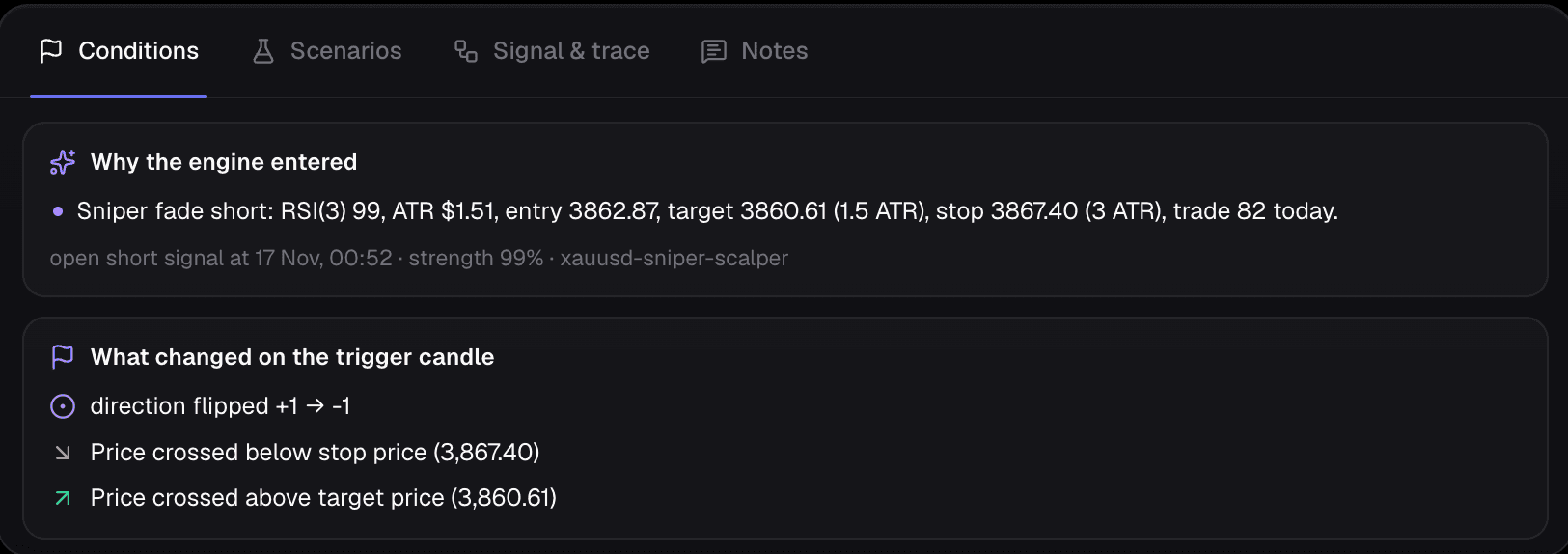
- 08The JournalThe Journal lists the trades of all your bots together and explains each one: on a chart at any interval with the engine's own indicators, the conditions that triggered it, what a better exit would have made, and notes with screenshots, voice notes and videos that the assistant reads and learns your rules from.
- 05Position sizing and risk guardsSixteen documented risk settings with defaults, a hard risk budget that stops a bot for good, daily loss limits, cooldowns, a fat-finger guard, and on MT5 sizing from the loss at your stop. Every blocked entry is explained in the trace, with the setting to change.
Your next idea deserves a test, not a hope.
Deploy your Agent Dashboard, start from a template engine, and have a paper bot running in about fifteen minutes. 7 days free, on every plan.
Command Palette
Search for a command to run...