
Describe the strategy. Watch the engine appear.
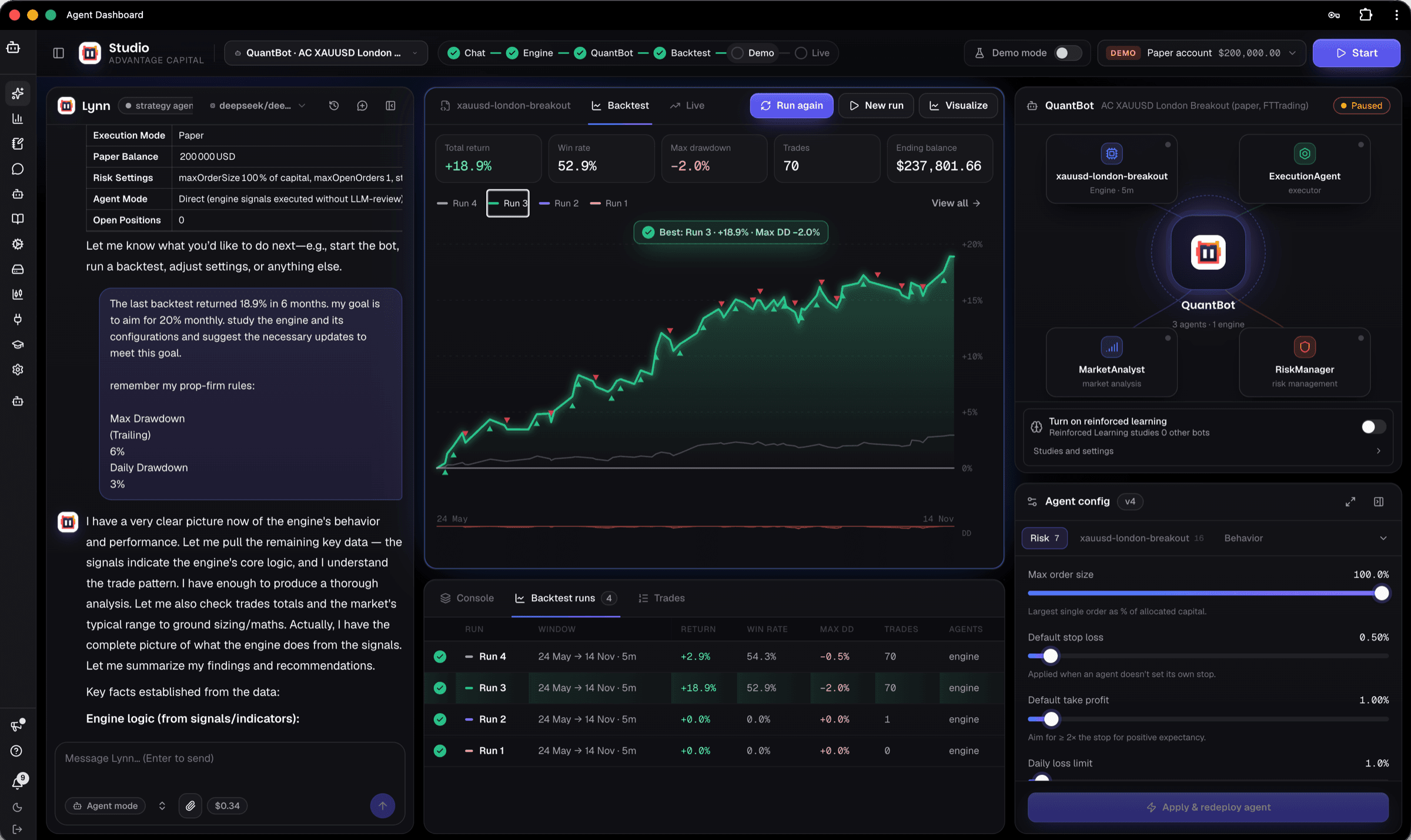
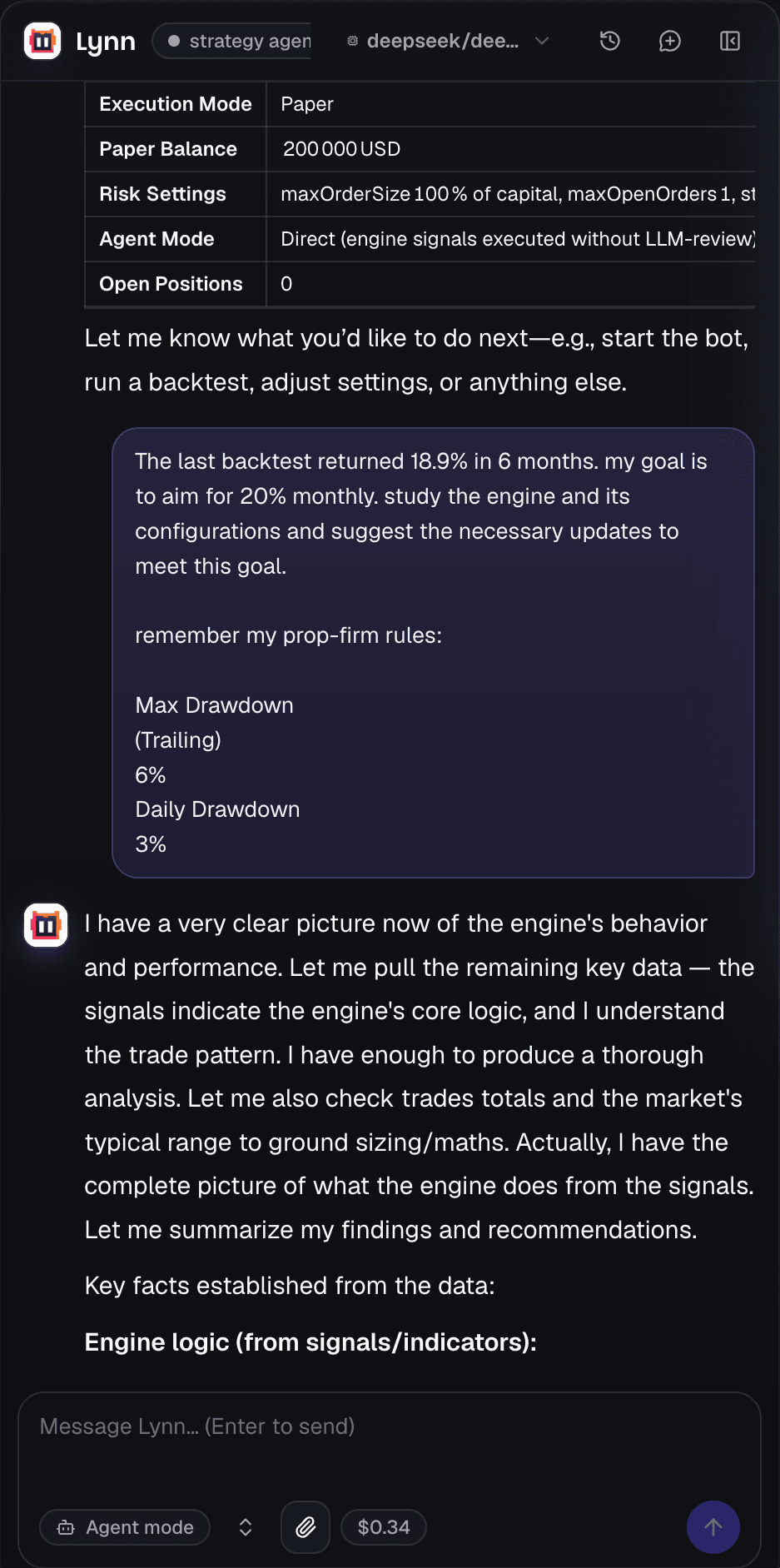
A built-in assistant that knows the platform and can act on it. It reads your bots, trades and traces, writes and validates engines, runs backtests, tunes settings and explains results. Risky actions wait for your approval.
Try it free for 7 daysDocumented in the Learn Center: studio-and-chat
Why it matters
From a plain-language idea to a backtested paper bot, without writing code.
No code required
Describe your strategy, by text, voice note, video or a captioned chart screenshot. The assistant restates the rules, writes the engine, validates it until every level is green and installs it.
Approvals keep you in charge
Creating a bot, changing its settings, going live, manual orders, deleting anything and capital increases all stop on an Approval required card that shows the exact action. Approve runs exactly that; Deny refuses.
It edits copies, not your bot
Asked to improve a running bot, the assistant duplicates the engine, clones the bot, points the clone at the copy and backtests it. The original keeps trading untouched.
It reads real numbers
Ask what your losing trades this month have in common. The assistant counts and averages real trades rather than guessing, and suggests a backtest before you change anything.
How it works
Step by step
- 01
Say what you want to trade
Starter prompts, or your own words. Record yourself explaining the setup and check the live transcript before you send.
- 02
The engine is written and validated
Code appears in the Engine tab. The assistant runs validation L1 to L4 and installs the engine when it passes.
- 03
A QuantBot is built on paper
Studio builds the bot in Demo mode with suitable agents. Nothing trades real money.
- 04
Backtest over 7, 30 or 90 days
Up to six runs overlay on one chart, best run highlighted. Tune with sliders in Agent config, and Revert if you do not like the result.
- 05
Go live when you decide
The Go live with real money dialog lists the bot, account, max order size, stop loss, daily loss limit and paper P&L. Type the bot's name to confirm.
In numbers
What it can do by itself, and what it cannot
- 5 min
- Quick start, option A: let Studio build the first paper bot
- 6 steps
- Chat → Engine → QuantBot → Backtest → Demo → Live
- 1 hour
- An unanswered approval expires. Nothing runs without you
- 10 min
- Voice notes up to ten minutes, videos up to five, images up to 8 MB
- 5 files
- Attachments per message, 10 MB each. CSV and JSON are read directly
- 15 min
- Shortest interval the assistant can schedule itself, with a cost cap
Plainly
What it will not do
- —The assistant reads text, not pixels or sound. It works from your captions and transcripts, so a wrong ticker in the transcript is a wrong ticker in the strategy.
- —It cannot create bots with exchange keys, see secrets, decide approvals itself or create autonomous agents. Never paste API keys or passwords into a conversation.
- —Usage draws on the dashboard's AI credits, with a spending cap per reply and per day. The cost of each conversation is shown in its header.
- —In the screenshots this desk calls its assistant Lynn. You can name yours what you like; the docs just call it the assistant.
Works with
Related features
- 02Strategy enginesA strategy engine is your trading idea written as a small JavaScript or TypeScript program. It reads candles and emits a signal: open long, open short, close. The platform does the sizing, the orders and the venue. Test the same engine in a backtest, on paper and live without changing a line.
- 03BacktestingReplay historical candles through your bot's engines, and optionally its AI agents, with realistic fees and slippage. Compare up to six runs on one chart, then restore the exact settings of the best one with a click.
- 08The JournalThe Journal lists the trades of all your bots together and explains each one: on a chart at any interval with the engine's own indicators, the conditions that triggered it, what a better exit would have made, and notes with screenshots, voice notes and videos that the assistant reads and learns your rules from.
Your next idea deserves a test, not a hope.
Deploy your Agent Dashboard, start from a template engine, and have a paper bot running in about fifteen minutes. 7 days free, on every plan.
Command Palette
Search for a command to run...