
Hold the bots back before the release. Automatically.
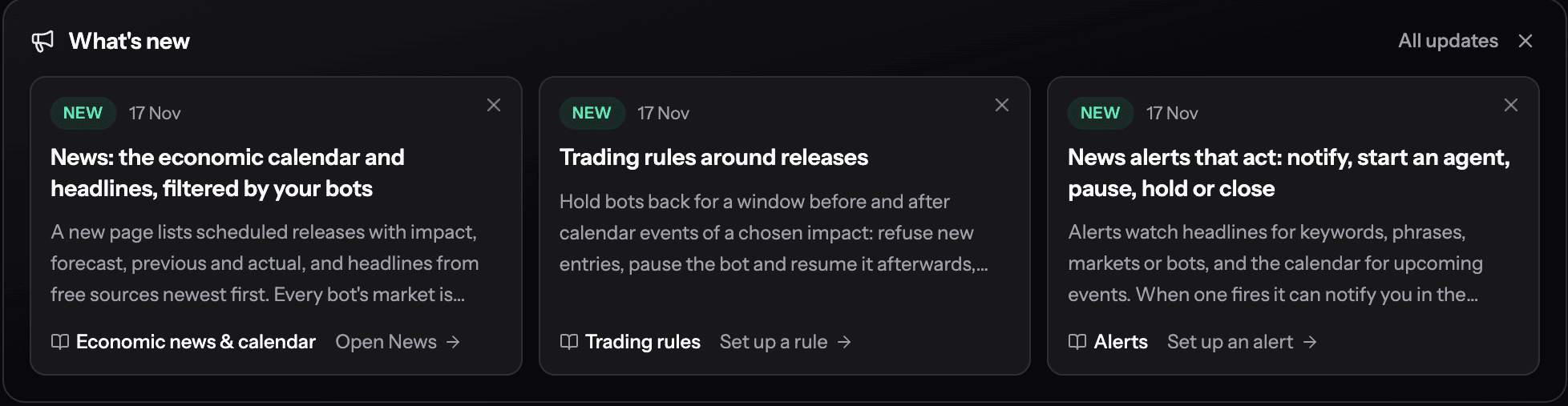
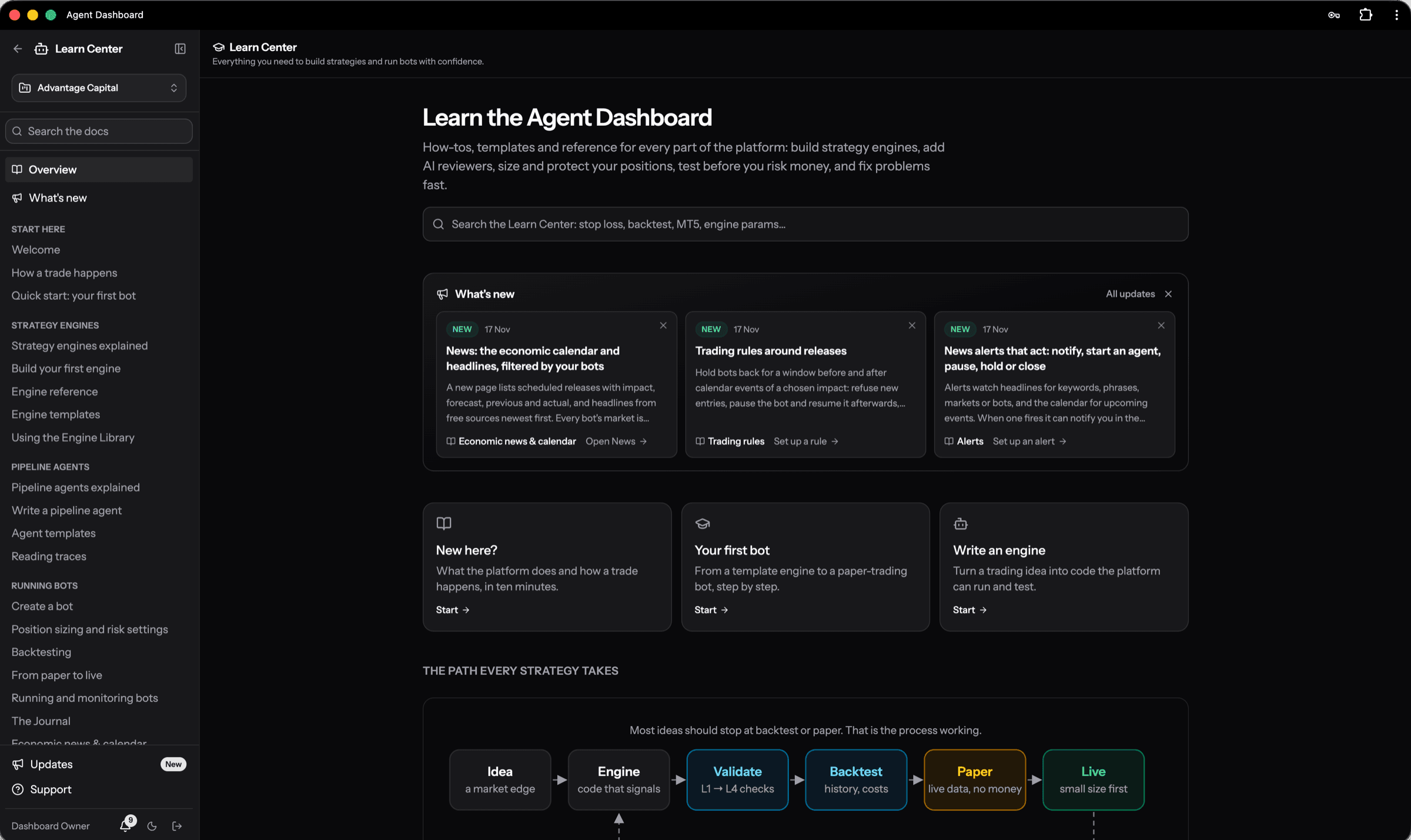
The News page brings the economic calendar and a live headline feed next to the bots that trade them, filtered to each bot's market. Trading rules hold entries, pause bots or close positions in a window around releases. Alerts watch keywords and the calendar and can notify you, start an agent, pause, hold or close.
Try it free for 7 daysDocumented in the Learn Center: economic-news
Why it matters
News spikes end evaluations. A window around the release is cheap insurance.
Mapped to your bots
XAUUSD reacts to gold and US-dollar news, EURUSD to euro and dollar, BTCUSDT to bitcoin, crypto and dollar, US30 to US stocks. A gold bot sees gold news without you tagging anything.
Trading rules
Pick the bots, the events by impact, currency or title words such as payrolls, and a window of minutes before and after. Hold new entries, pause and resume, close open positions when the window starts, or notify.
Alerts with five actions
Keywords with phrases and wildcards, markets or bots in scope, a number of minutes before calendar events, a cooldown. Notify, start an agent task under a budget, pause bots with automatic resume, hold entries, or close positions at market.
Your sources too
Ten free built-in sources including investingLive, FXStreet, MarketWatch, CNBC, the Fed, the ECB, the Bank of England, CoinDesk and Cointelegraph. Add any RSS or Atom feed, or X with your own API credentials.
How it works
Step by step
- 01
Read the calendar
Each release with its time in your zone, currency, impact, forecast, previous and actual. Filter by bots, currencies, impact, today, this week or the next seven days. It refreshes every half hour.
- 02
Write a rule
High-impact events in each bot's own currencies, 30 minutes before and after, hold entries and notify. The Rules tab lists upcoming windows for the next two days. Release lifts a hold early.
- 03
Test an alert
Test shows which recent headlines it would have matched. Fire on this headline runs its actions for real.
- 04
Check the Activity log
Every alert fired, window opened, pause, resume, hold, close and error, recorded.
In numbers
What the product actually does
- 10
- Free built-in news sources, each one switchable
- 4
- Rule actions: hold entries, pause, close positions, notify
- 5
- Alert actions, including start an agent task
- 30 min
- Calendar refresh interval
- 30 days
- Headlines kept
- 2 days
- Upcoming rule windows shown in advance
Plainly
What it will not do
- —A hold never cancels a close: stops, targets and engine exits keep working during a window. If your firm restricts stop execution around news, use close open positions when the window starts and open the window early.
- —Manual orders are not held. Backtests ignore rules. Synthetic indices have no news tags, so rules leave them alone unless a rule names them.
- —Rules only ever resume bots they paused themselves.
Works with
Related features
- 05Position sizing and risk guardsSixteen documented risk settings with defaults, a hard risk budget that stops a bot for good, daily loss limits, cooldowns, a fat-finger guard, and on MT5 sizing from the loss at your stop. Every blocked entry is explained in the trace, with the setting to change.
- 10Autonomous agentsAutonomous agents are AI members of your dashboard team. They take on work: a task you assign, or recurring work on a schedule. A daily review that compares yesterday's trades with the backtest. Hourly checks for failed trades and accounts needing attention. Research across five markets. Spending is capped by default and high-risk actions always wait for a human.
- 09Quant BotsA Quant Bot runs one or more engines on one market at one candle interval, with its own capital, risk settings, agents and history. Start, pause and stop with a click. Trade by hand through the same guards. Edit stops on open positions. Every settings change saves a snapshot first.
Your next idea deserves a test, not a hope.
Deploy your Agent Dashboard, start from a template engine, and have a paper bot running in about fifteen minutes. 7 days free, on every plan.
Command Palette
Search for a command to run...