
As many bots as you like. Each in its own risk box.
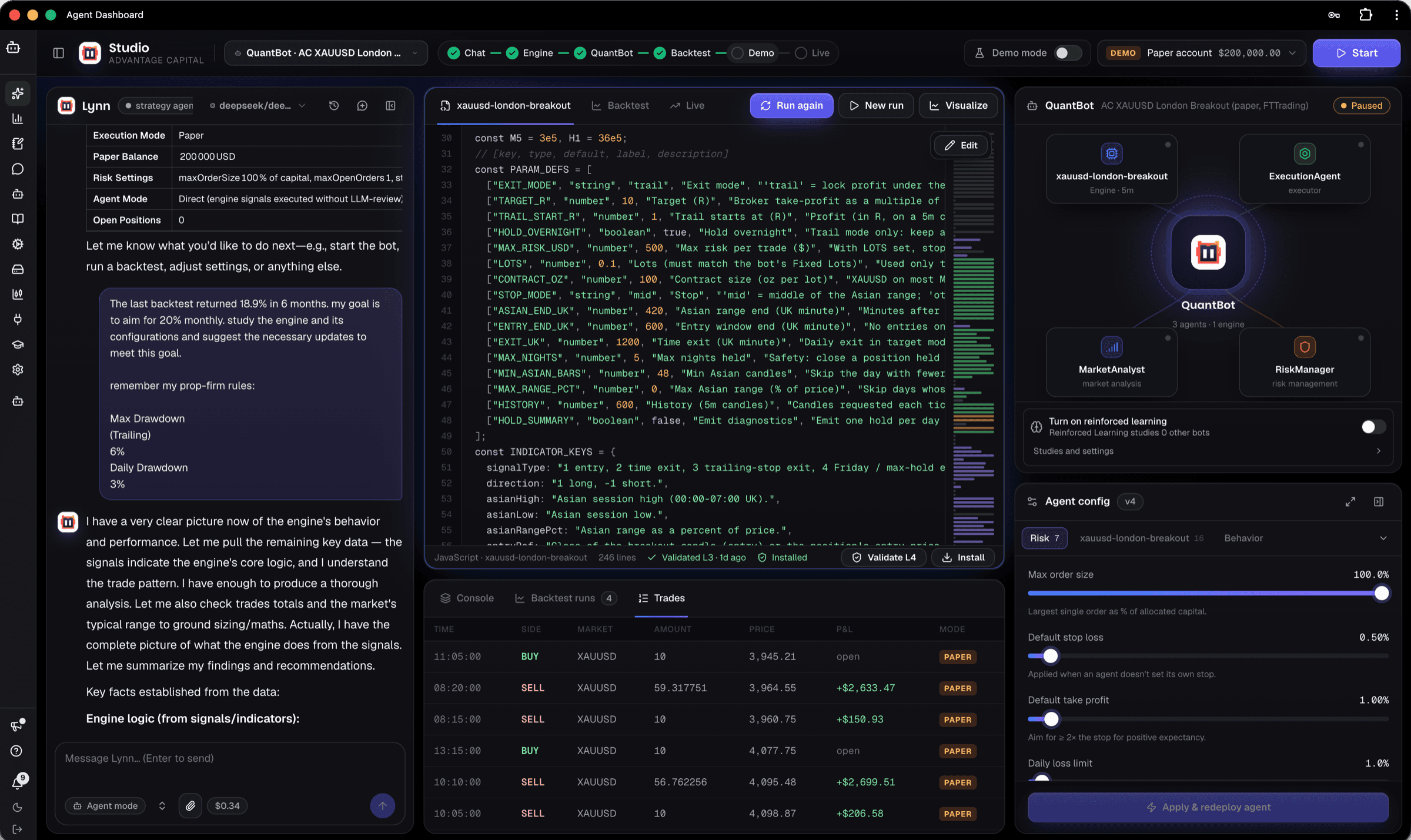
A Quant Bot runs one or more engines on one market at one candle interval, with its own capital, risk settings, agents and history. Start, pause and stop with a click. Trade by hand through the same guards. Edit stops on open positions. Every settings change saves a snapshot first.
Try it free for 7 daysDocumented in the Learn Center: operating-bots
Why it matters
Operate a desk of strategies from one screen, and undo any change.
Four ways to create one
Studio's New QuantBot, a sentence in chat, the four-step wizard, or Clone. New bots start on paper. Live bots are created stopped, so nothing trades until you press Start.
Three execution modes
Observe signals records the engine without trading. Paper runs the full pipeline with simulated orders. Live sends real orders to your exchange or broker.
Manual trades, same guards
Long or short, size as a percentage of capital, optional stop, target and trailing stop. Manual orders pass the same risk limits, size caps and venue minimums as the bot's own.
Configuration History
Every change saves a snapshot first. The last 50 are listed, each with Roll back. Risk limits, capital, decision mode and AI settings change while the bot runs; market, interval, engine and mode changes wait for a pause.
How it works
Step by step
- 01
Overview, two minutes a day
Every bot in the project: status, today's P&L, open positions, trades today, exchange, with start and pause buttons.
- 02
The bot page
Six pages: Dashboard with the chart and every signal, decision, trade and position marked; Trades; Traces; Paper; Backtests; Settings.
- 03
Notifications
Trade placed, trade closed with P&L and reason, and agent decisions. In-app, browser push and email, per project or per bot. On a phone, add the dashboard to the home screen for push.
- 04
Weekly, fifteen minutes
Trades, traces, skip reasons, drawdown and MT5 billing. Change one thing at a time and re-test after every change.

In numbers
What the product actually does
- 7
- Candle intervals: 1m, 5m, 15m, 30m, 1h, 4h, 1d
- 50
- Configuration snapshots kept, each restorable
- 6
- Pages per bot
- ~1 min
- Time to book a close made at the broker or exchange, with its reason
- 3
- Notification channels: in-app, push, email
- 0
- Bots that trade real money the moment they are created
Plainly
What it will not do
- —Pausing, stopping or deleting a bot never closes its positions. Venue stops keep protecting them. To flatten a bot, use Close All on its Trades page first.
- —Deleting a bot permanently removes its trade history. A clone does not copy credentials, balances, positions or history.
Works with
Related features
- 05Position sizing and risk guardsSixteen documented risk settings with defaults, a hard risk budget that stops a bot for good, daily loss limits, cooldowns, a fat-finger guard, and on MT5 sizing from the loss at your stop. Every blocked entry is explained in the trace, with the setting to change.
- 04Paper to livePaper trading runs your bot on live market prices with a simulated balance. It catches what a backtest cannot: how signals behave in real time, data gaps, sizing on a real balance, how often agents veto. Going live is the same bot, the same settings, a typed confirmation.
- 13MetaTrader 5Connect a MetaTrader 5 account from any broker with a login, server and trading password. Bots trade it around the clock; you do not need MT5 open. Whatever your broker lists, from forex, metals and indices to Deriv's synthetic indices, the dashboard can trade. Stops live at the broker. Closes made at the broker are booked within about a minute.
Your next idea deserves a test, not a hope.
Deploy your Agent Dashboard, start from a template engine, and have a paper bot running in about fifteen minutes. 7 days free, on every plan.
Command Palette
Search for a command to run...